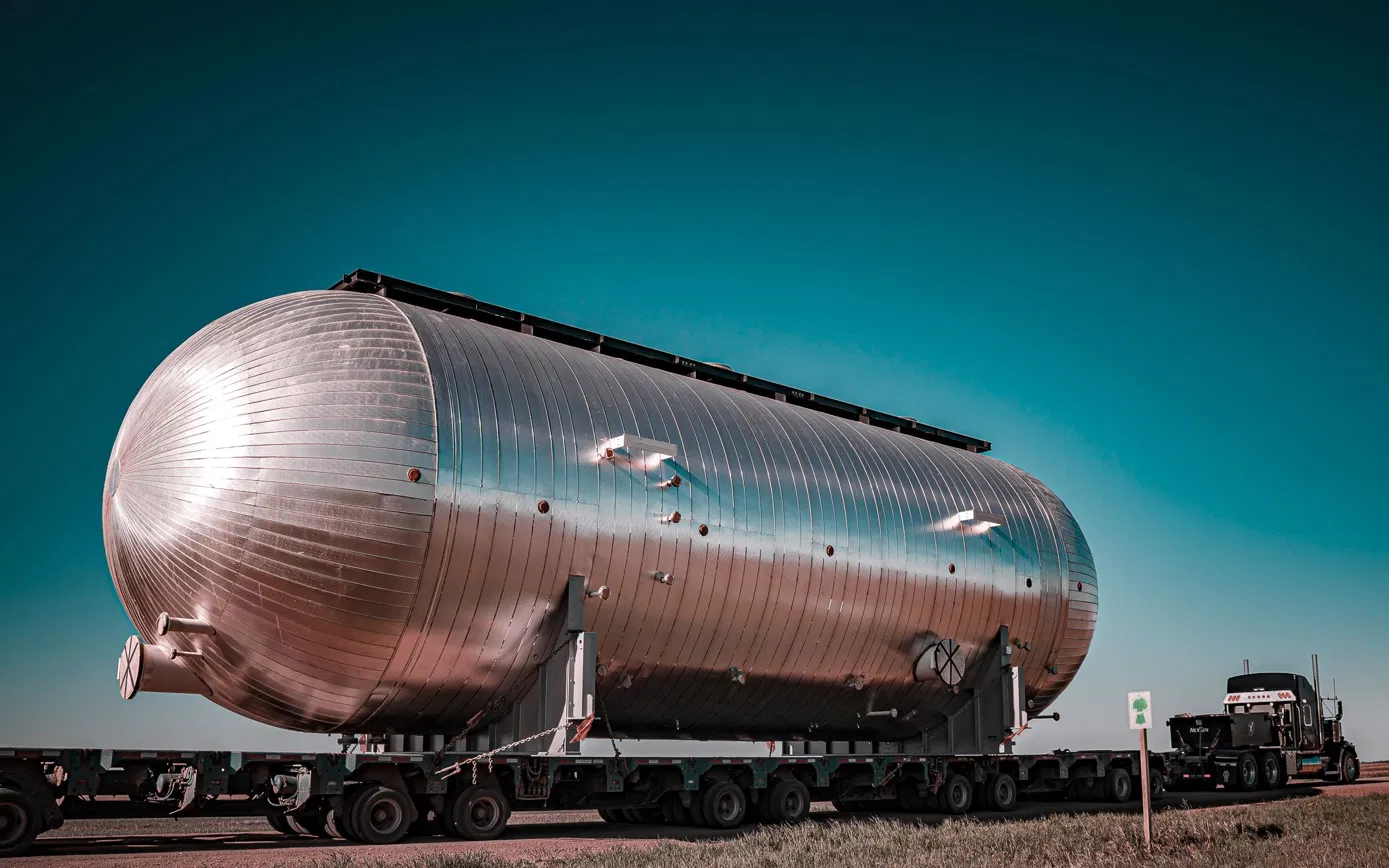
GPT Image 2.5 Sunburst Prompt - Steel Pressure Vessel on a Teal Prairie Road

- Aspect ratio
- 16:9
- Quality
- 1K
Prompt
Photograph, 3:2 landscape, 1536x1024. A large horizontal steel pressure vessel
on a multi-axle modular heavy-haul trailer, parked on an empty gravel road
on open flat prairie, seen from a low three-quarter angle, camera at trailer-deck height,
35mm lens. Late afternoon, low sun from the left, clear deep teal sky
that darkens toward the top, strong rim light along the top of the shell.
COMPOSITION, IMPORTANT: the whole vessel is visible with empty space all around it,
nothing touching or cut by the frame edges. The vessel is centred horizontally and its length
fills only about 55% of the frame width. Its centre sits at about 55% of the frame
height, with the horizon low, at about 75% of the height. The upper 30% of the frame is
clear sky with no objects. Large calm areas of sky and ground on both sides.
THE VESSEL: bare carbon steel plate shell in satin dark grey primer, fine circumferential
weld seams visible, two shallow-dished 2:1 elliptical heads (not hemispherical,
not round balls), two steel saddles bolted to the trailer deck with tie-down chains, one
manway on top and two small nozzles, lifting lugs near the ends. Realistic scale: the vessel is
about 4.5 m in diameter and 12 m long.
THE TRAILER: low flat deck, many small wheels, rows of axle lines receding. No tractor unit
or cab in the frame; the trailer runs out of frame at the lower left and lower right.
STYLE: high contrast, bright highlights, deep shadows, restrained colour:
teal sky, cool grey steel, warm dust-coloured gravel. No oversaturated orange. Cinematic,
sharp, real photograph, not a render.
NO people, NO text, NO logos, NO company names, NO signs, NO license plates,
NO markings or numbers on the trailer, NO watermark, NO buildings, NO power lines,
NO other vehicles.
Reference image
Remixes
RemixNo remixes yet. Be the first to make your own version.
Use this image prompt
- 01
Start with the prompt
Copy the prompt, or open it with the generate button.
- 02
Make your changes
Adjust the subject, setting, or details. Add reference media if needed.
- 03
Check before generating
Review the model and output settings. Results can vary between generations.