Search with text
Describe a subject, style, color palette, or scene. Try “cinematic portrait” to find related images and prompts.
Search promptsExplore image and video prompts, visual styles, and Midjourney sref codes. Search by subject, style, or model, or upload a reference image to find similar visuals.
Describe a subject, style, color palette, or scene. Try “cinematic portrait” to find related images and prompts.
Search promptsUse the camera button to upload a reference image. Browse similar works and see their prompts or style references.
Search by imageImage search finds similar works in the library. It cannot reveal the original prompt used to create your uploaded image.
Search the library, explore a prompt, and use it in your next creation.
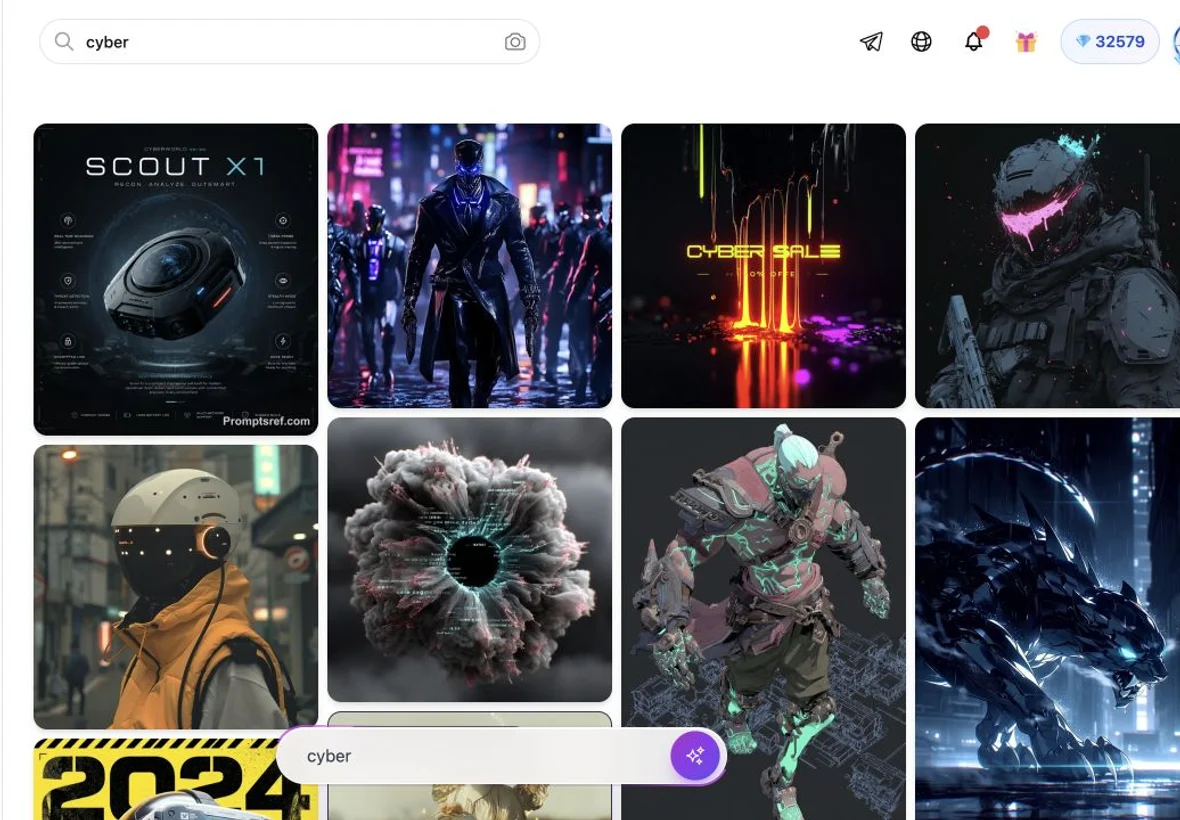
Step 1
Describe what you have in mind in your own language, or search with a reference image.
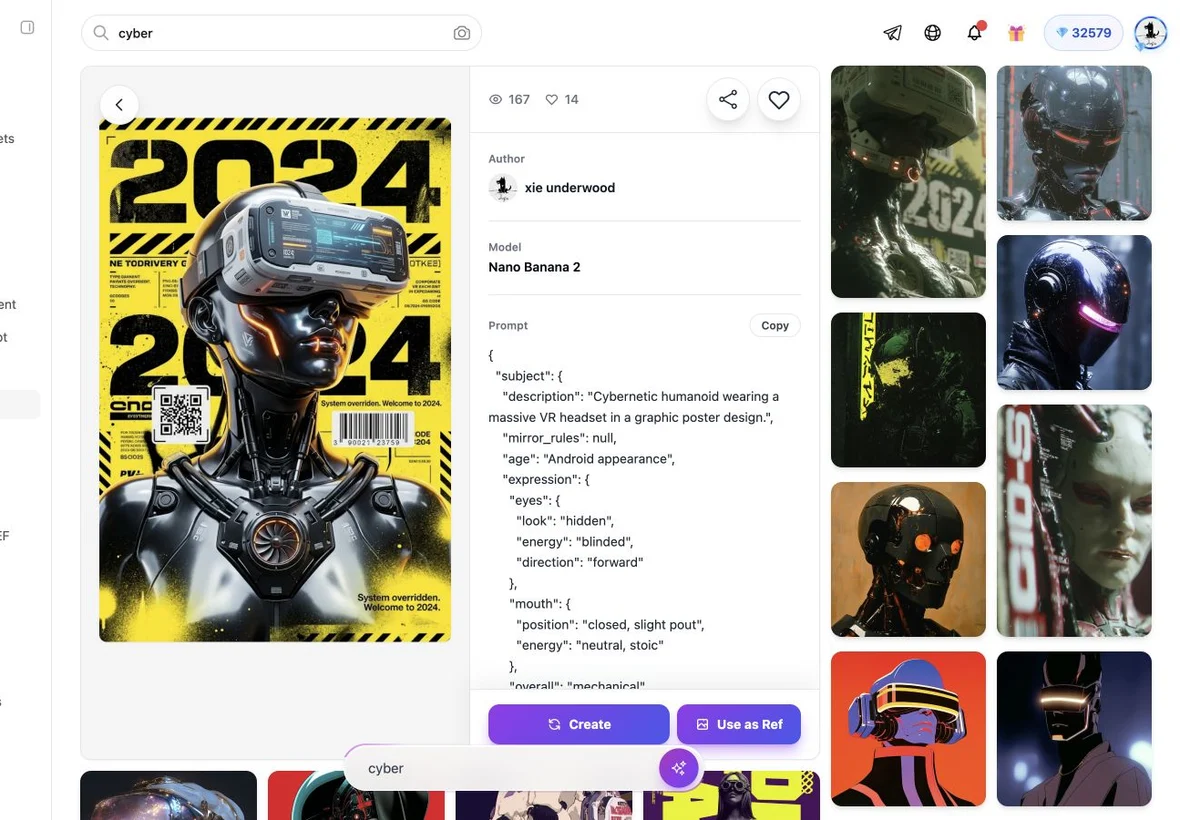
Step 2
Open a result to read the full prompt and check what you need to use it.
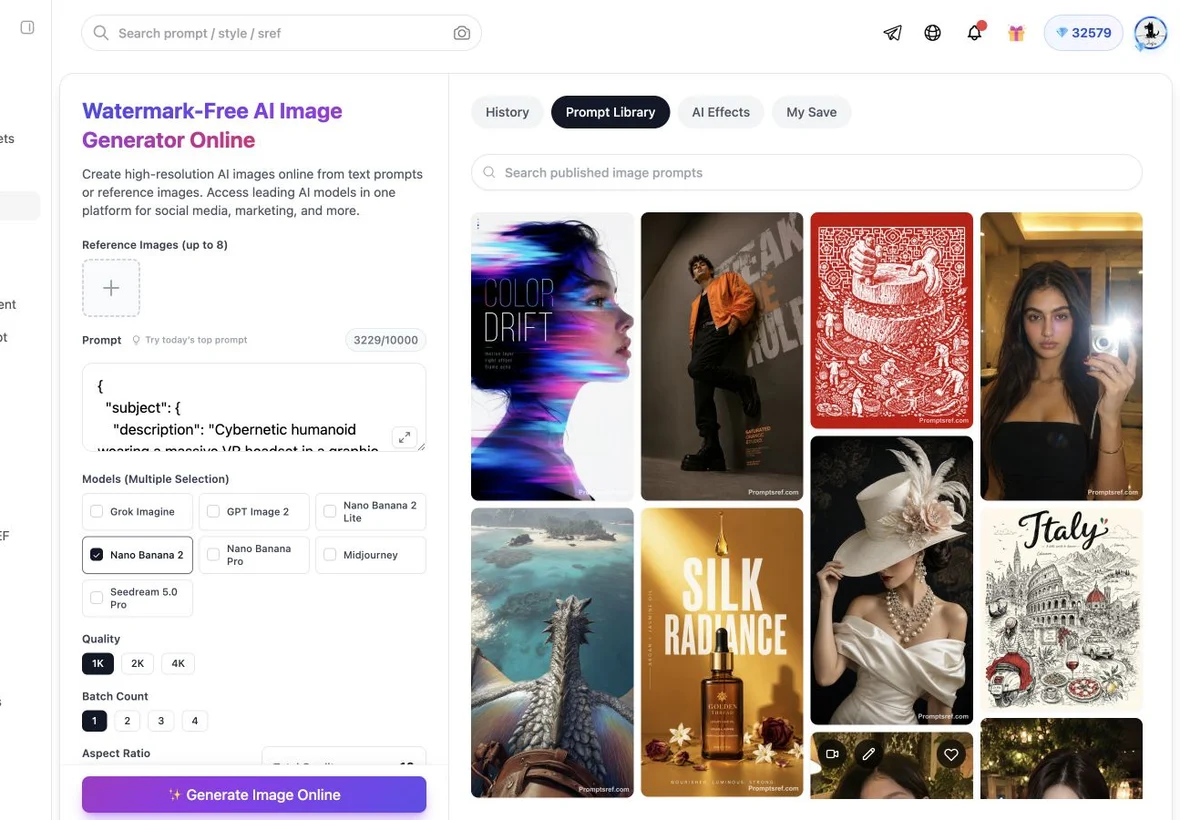
Step 3
Copy the prompt as it is or edit it, then create with Promptsref or your preferred AI tool.
Start with the model you create with. Each library brings together prompts and visual examples.
Find a starting point for a new image, a moving scene, or a visual style you want to explore.
Explore portraits, product photography, illustrations, landscapes, and more. See the visual result alongside a prompt example.
Explore image promptsBrowse prompts for subject movement, camera motion, scene transitions, and visual effects. Open a work to see the clip and its available prompt.
Explore video promptsCompare style reference images and explore sref codes to guide the look of your next Midjourney creation.
Explore sref codesThe library includes AI image prompts, video prompts, visual examples, and Midjourney sref codes. Browse by model or search for a subject, style, color, or scene.
Enter a description such as “cinematic portrait” or “video transition”. You can also start from a model library. Sign in to use text and image search.
Yes. Explore the Nano Banana, GPT Image, Midjourney, and Seedance libraries using the model links above. Nano Banana variants share a library, as do Seedance 2.5 and 2.0.
Use the camera button to upload a reference image and find similar works. You can explore the available prompts on matching works, but this does not reveal the exact original prompt of your uploaded image.
A prompt describes what you want to create, such as a subject, scene, or action. A Midjourney sref code guides visual style. You can use a prompt and an sref code together.