Free AI Palm Reader Online

Upload a clear palm photo to map your life, heart, head, and fate lines. Create a personalized visual palmistry report with labeled details—for entertainment and self-reflection only.

Your palm photoYour palm photo
1122/20000
Total Credits9
GPT Image 29
Publish to Explore
?
👑
Warm visual palm reading

A minimalist Palm Profile infographic. Keep the palm photo completely unedited, preserving all original lines, textures, proportions, and markings. Analyze the actual visible palm features, reading the life, heart, head, fate, sun, marriage, children, and travel lines; the Jupiter, Saturn, Apollo, Mercury, Venus, and Luna mounts; hand shape, fingers, and key markings. Add numbered markers directly onto the original palm photo, pointing to the exact lines and areas being interpreted. Synthesize a calm, grounded reading about: core personality and mindset; love and long-term relationships; career path and talents; overall life trajectory and key turning points. Follow mainstream palmistry principles and avoid generic or unsupported claims. Use an A4 or US Letter portrait layout, white or very light background, clear typography, and ample white space, suitable for print or PDF. Frame every interpretation as palmistry tradition for entertainment and self-reflection only, not scientific fact or medical, legal, financial, or mental-health advice. Do not predict death, illness, pregnancy, wealth, or exact dates.
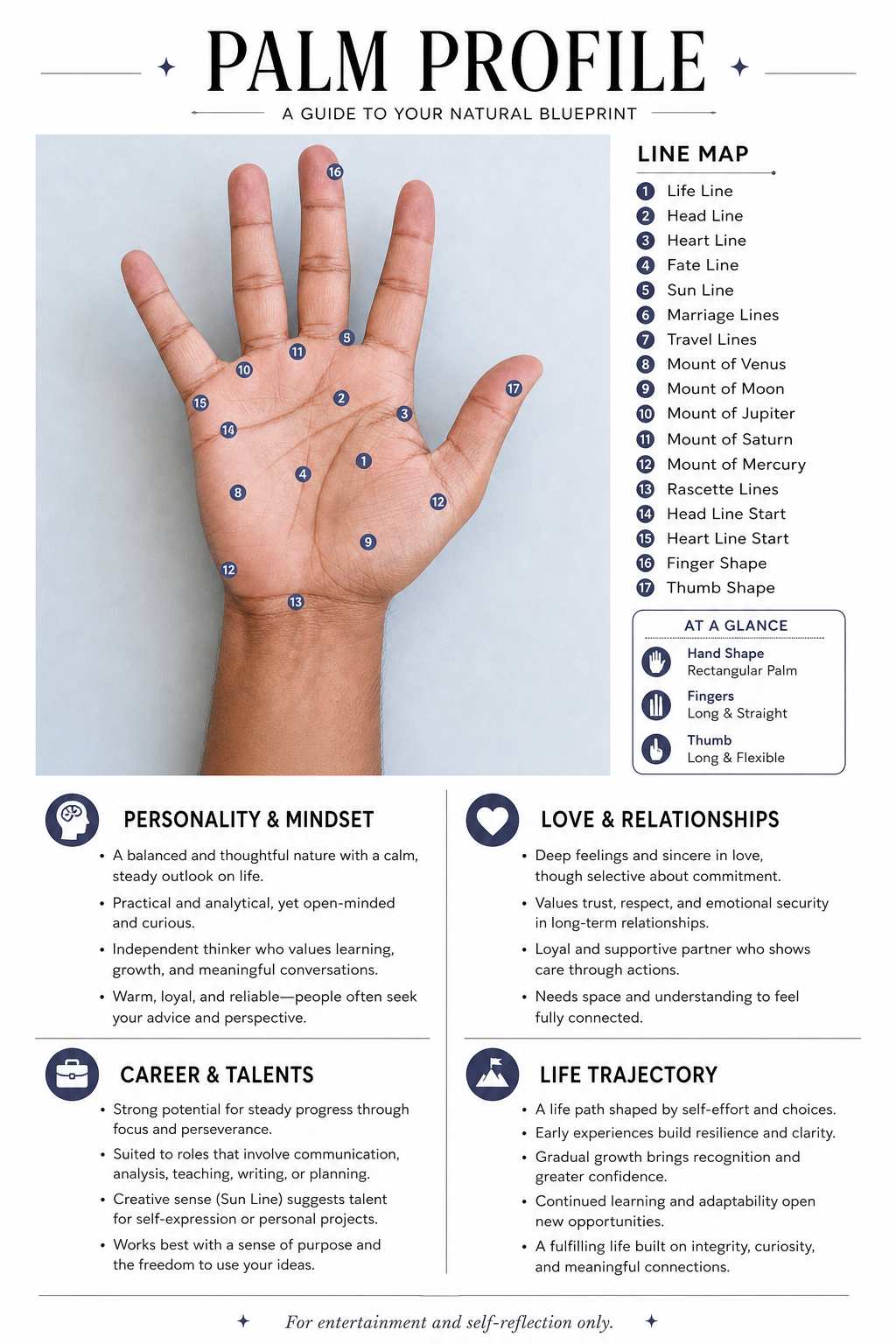
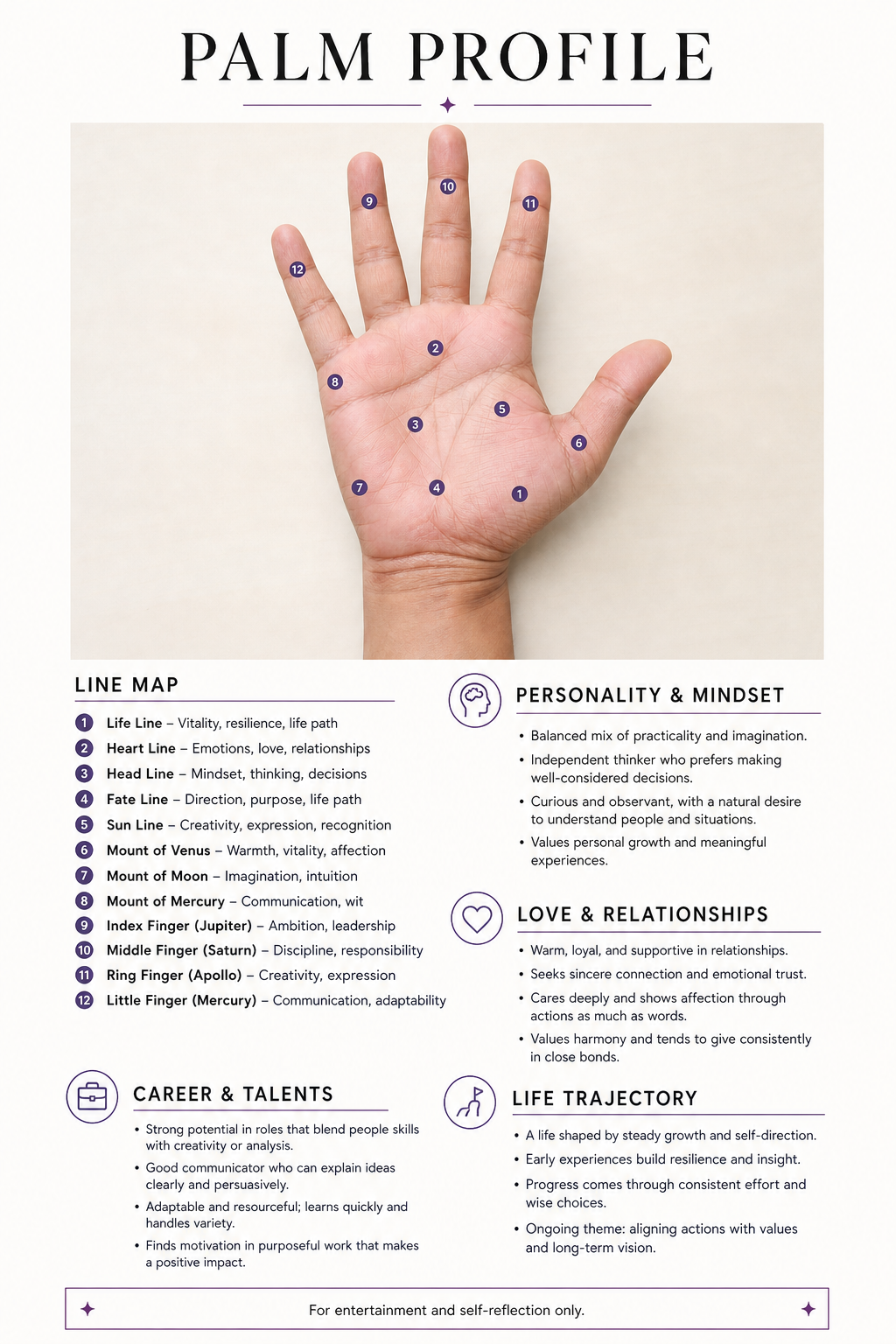
Turn one palm photo into a labeled visual reading

The tool keeps your palm at the center of the report, adds numbered markers to visible features, and groups traditional interpretations by personality, relationships, work, and life direction. It is a designed image—not a biometric scan or factual prediction. Check every marker against your source photo.

Map what is actually visible

The template asks for the life, heart, head, fate, and sun lines, relevant mounts, hand shape, fingers, and notable markings. If a line is faint or absent in the photo, the reading should acknowledge that instead of inventing detail.

Keep the reading calm and specific

The report groups observations into understandable themes rather than dramatic fortune-telling. You can shorten the reading, change the visual tone, or ask the model to use cautious language such as “traditionally associated with.”

Export a portrait page

A 2:3 canvas closely matches a printable page and leaves room for the palm image, numbered legend, four reading sections, and a visible entertainment disclaimer.

Create a palm reading
Portrait Palm Profile infographic with a numbered palm line map

What the AI palm reader analyzes in your photo

Each numbered marker should point to a visible feature on the original palm. The report then separates those observations from four traditional reflection themes.

Eight palm-line groups

Life, heart, head, fate, sun, marriage, children, and travel lines. The report should describe their visible length, depth, direction, breaks, branches, or absence without redrawing the source.

Six named mounts

The Jupiter, Saturn, Apollo, Mercury, Venus, and Luna mounts. Numbered markers should identify the corresponding areas below the fingers, around the thumb, and along the outer palm.

Hand shape, fingers, and key markings

Overall palm proportions, finger length and spacing, thumb shape, major intersections, forks, islands, crosses, or other clearly visible markings. Unclear details should be omitted rather than guessed.

Four structured reading themes

Core personality and mindset; love and long-term relationships; career path and talents; and overall life trajectory with possible turning points. These are palmistry-based reflections, never factual forecasts.

Analyze my palm photo
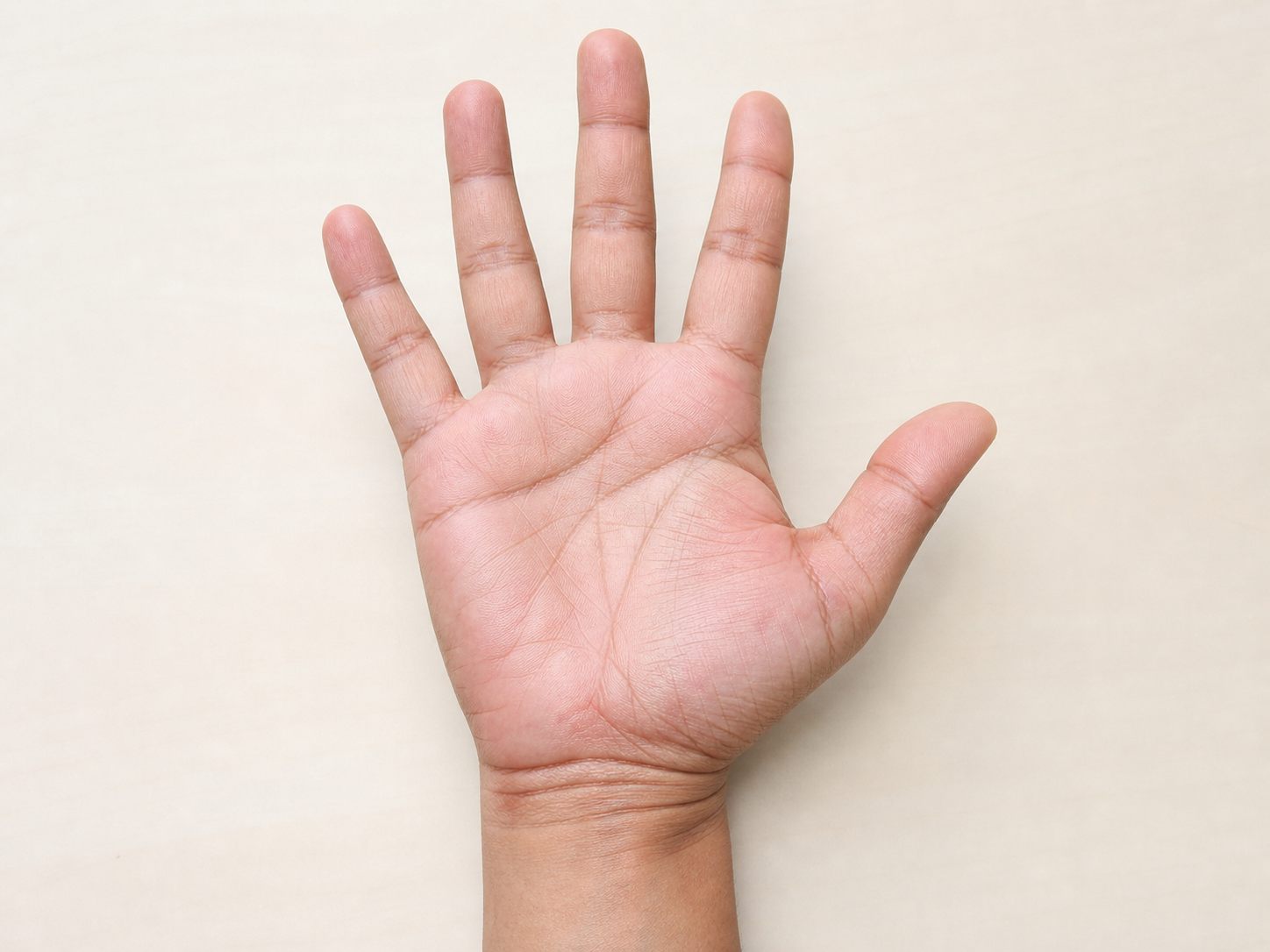
Clear open palm showing the visible areas used for an AI palm reading

Take a palm photo the AI can inspect

Photograph one open hand with the camera parallel to the palm, fingers naturally spread, and wrist visible. Use soft, even light and a plain background. Upload only a photo you may use, without faces, documents, jewelry, or other unnecessary identifiers.

Show the full hand

Keep all fingertips, the thumb, outer edge of the palm, and wrist inside the frame. A cropped thumb or hidden little-finger edge can remove the exact areas the line map needs.

Use soft, even light

Avoid flash glare, deep side shadows, motion blur, wet skin, and heavy filters. These can erase small creases or make ordinary shadows look like markings.

Choose the hand intentionally

Palmistry traditions disagree about how left, right, dominant, and non-dominant hands should be interpreted. State which hand you uploaded if that distinction matters to you, but do not present the convention as scientific evidence.

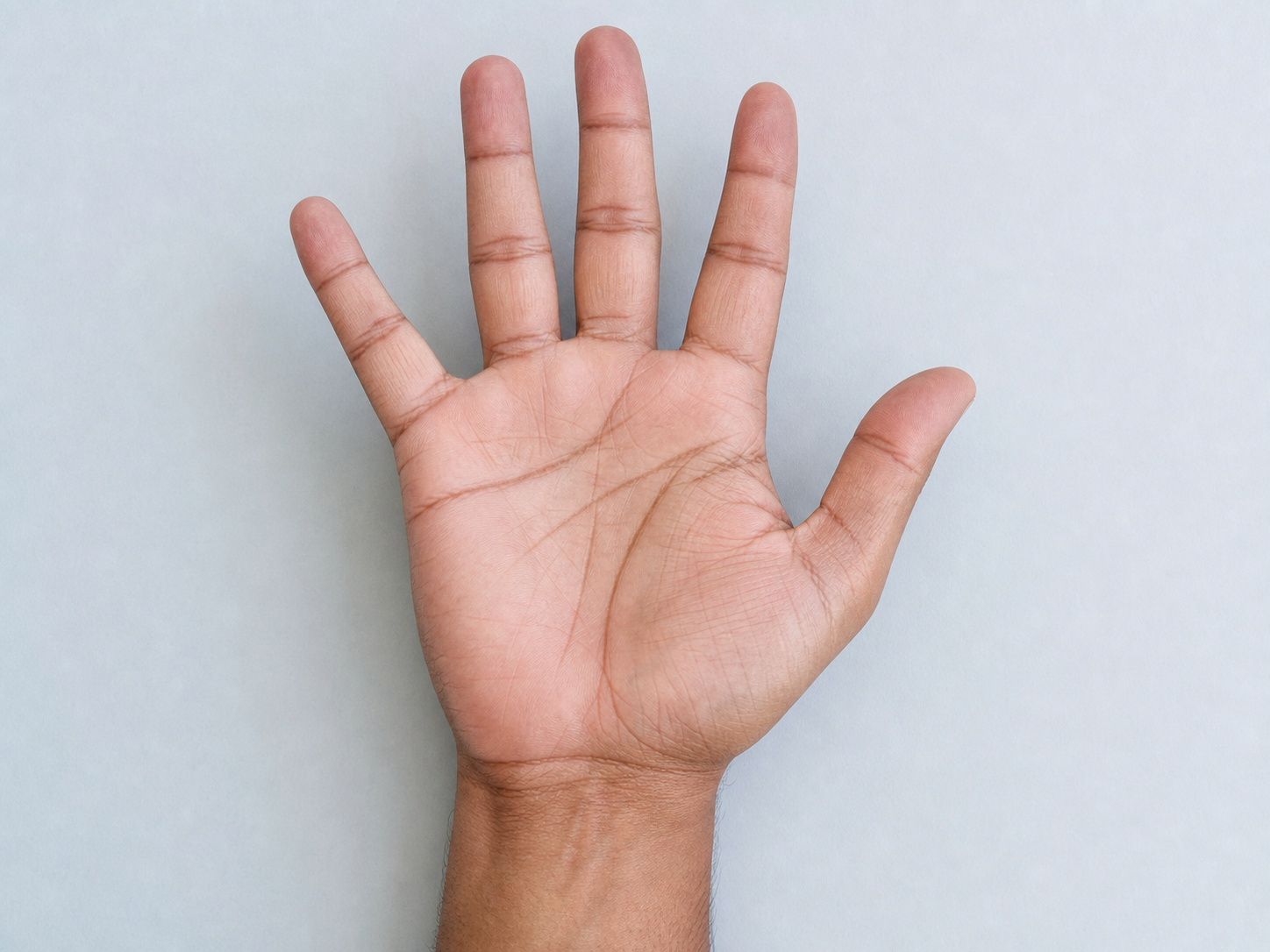
Upload a clear palm photo
Clear open right palm on a plain background for AI palm reading

Why use Promptsref for an AI palm reading

Create a visual report that keeps the source palm beside a numbered legend. Load the complete prompt, replace the sample photo, and remove any claim the image does not support.

Use reference-capable models in one workflow

The generator offers multiple image models in one interface. Choose a model that accepts image references, then compare results if you need better photo preservation, typography, or layout.

Control the page format and quality

Select a portrait ratio and an available resolution before generating. You can continue with the companion editor or 4K upscaler when you need a cleaner file for a personal journal or printout.

Download without an added watermark

Review the full-size result and download it without a Promptsref watermark. Keep the disclaimer visible if you share the image so viewers understand that it is AI-generated palmistry content.

Try the visual palm workflow
Minimal AI palm reading infographic with line labels and reflection sections

How to use the Free AI Palm Reader Online

Create a visual palm reading from one photo in three practical steps.

1

Load an example and replace the palm

Choose either palm reading example, load its model, ratio, source image, and prompt, then replace the sample with your own clear palm photo.

2

Review the analysis instructions

Keep the photo-preservation rule, visible-feature list, numbered markers, four reflection themes, portrait layout, and safety disclaimer. Remove any category you do not want discussed.

3

Generate, inspect, and download

Check the current credit total before submitting. After generation, compare the hand to the source, verify marker placement and spelling, remove unsupported claims, and regenerate if the model altered the palm.

AI palm reading layouts to try

The examples use the same prompt with different palettes and legend layouts. Generated wording varies, so review every result before sharing.

More to make

Other AI Image Generators

Want a different look? Each generator opens with its own examples, prompt tips, and ready-to-use settings.

AI Engraving Generator
AI image

AI Engraving Generator

Turn a prompt or reference image into artwork with cross-hatching, carved marks, and the texture of a traditional print.

AI LinkedIn Photo Generator
AI image

AI LinkedIn Photo Generator

Upload one clear photo and turn it into a polished professional headshot. Keep your recognizable features while changing the outfit, background, lighting, and crop for LinkedIn, a résumé, or a company profile.

AI Giga Chad Generator Online Free
AI image

AI Giga Chad Generator Online Free

Upload a clear portrait or start with a prompt. Create a recognizable Gigachad-style image with a sharper jawline, sculpted cheekbones, confident expression, and the dramatic lighting that makes the meme instantly readable.

AI Furry Art Generator
AI image

AI Furry Art Generator

Start with a species and a few features you can picture clearly. Add an outfit, pose, and setting—or upload a reference image—and keep refining the character from there.

AI Product Listing Image Generator
AI image

AI Product Listing Image Generator

Upload a product photo or describe what you sell. Create clean product shots, lifestyle scenes, and ad images for your online store.

Free AI Game Character Generator Online
AI image

Free AI Game Character Generator Online

Create original game character art from a text prompt or reference image. Choose an AI model and aspect ratio, then generate heroes, NPCs, enemies, portraits, and full-body concepts online.

Free AI Selfie with Celebrities Generator Online
AI image

Free AI Selfie with Celebrities Generator Online

Start with two clear photos: one of you and one celebrity reference. Load a complete example, replace the sample images, and create a believable backstage, premiere, or stadium selfie without manual compositing.

YouTube Thumbnail Generator
AI image

YouTube Thumbnail Generator

Turn a video title, topic, or hook into a 16:9 thumbnail concept. Describe the scene, add a face or visual reference when useful, and compare multiple AI image models without rebuilding your prompt.

Free AI Palm Reader Online FAQ

It is an image-generation workflow that uses a palm photo and a written analysis template to create a labeled visual palm reading. It can organize traditional palmistry themes around visible lines, mounts, hand shape, fingers, and markings. It does not scientifically determine personality or predict the future.

You can try the generator with any free credits currently available on your account. The exact credit cost depends on the selected model, resolution, and output count, and the current total is shown before generation. “Free” describes the available trial path, not unlimited generation.

Use one sharp photo with the palm facing the camera, fingers naturally spread, wrist visible, and soft even lighting. Keep the hand large in the frame without cropping its edges. Avoid flash glare, blur, deep shadows, jewelry, filters, and busy backgrounds.

Either hand can be used. Different palmistry schools assign different meanings to left, right, dominant, and non-dominant hands. If the distinction matters to your chosen tradition, identify the hand in your prompt; do not treat that convention as scientific fact.

The prompt requests the life, heart, head, fate, sun, marriage, children, and travel lines, plus the Jupiter, Saturn, Apollo, Mercury, Venus, and Luna mounts, hand shape, fingers, and key markings. Not every feature will be visible in every photo, so the result should avoid inventing missing detail.

No reliable scientific evidence shows that palm lines predict future events or determine personality. Use the generated report as entertainment, creative writing, or a prompt for self-reflection—not as medical, legal, financial, relationship, career, or mental-health advice.

The prompt explicitly asks the model to preserve the original palm and add markers over it, but generative image models can still alter fingers, creases, skin, or proportions. Compare the result with the source and regenerate or discard it if the hand changed.

The template asks for an A4 or US Letter-style portrait layout suitable for printing. Download the finished image and use your device’s print dialog or a document tool to place it in a PDF. Check small text at full size before printing.

A palm image can contain personal visual details. Upload only a photo you are comfortable processing, exclude faces and unrelated identifiers, use a photo you have permission to use, and review the generator’s current visibility setting before submitting.

Yes. You can shorten the report, remove categories, request a different palette, or ask for fewer markers. Keep the rules that ground observations in visible features, preserve the source palm, avoid certainty, and display the entertainment disclaimer.

Create a visual palm reading from one clear photo

Upload an open-palm image and generate a labeled portrait report for entertainment and self-reflection.