

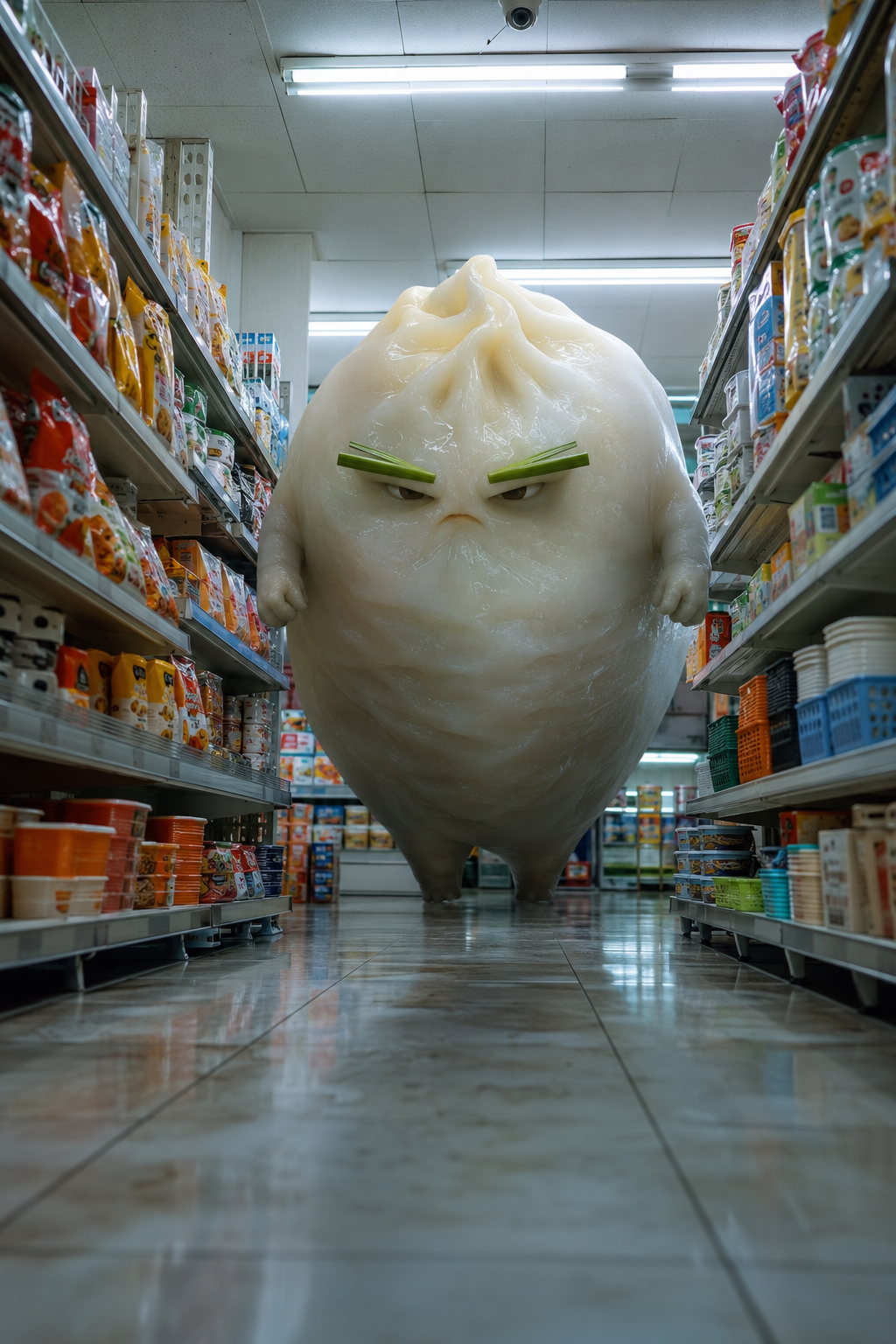
Preserve the giant steamed-dumpling creature's translucent white dough skin, green scallion eyebrows, tiny arms, stern expression, and the convenience-store aisle layout exactly as shown. Begin with a low-angle wide shot inside the convenience-store aisle. The camera moves backward quickly and smoothly while keeping the giant dumpling centered, with no cuts. The dumpling suddenly tucks its body sideways into a soft round ball and rolls toward the camera at an absurd but clearly readable speed. Its folded dough skin compresses and jiggles elastically as it rolls, while its tiny arms stay pressed against its body. As it passes the shelves, the airflow lifts lightweight snack bags, paper cups, and plastic baskets into the air; everything scatters playfully, with no broken glass and no one getting hurt. The dumpling makes a sharp skidding stop very close to the lens, springs back into its upright shape, keeps its stern scallion-brow expression, and plants both hands on its hips in an absurd heroic pose. End in a clean, loop-friendly composition that can return naturally to the first frame. Maintain realistic convenience-store lighting, convincing dough texture, and strong spatial depth. Do not introduce any new characters.
AI Brainrot Generator
Turn an absurd idea, a first frame, or character reference images into a short, chaotic AI meme video. Start with an example, replace its image, and push the scene in your own direction.
Add reference images (with key frames, max 9 images total). Each file under 30MB.
MP4/MOV, each 2-15s, max 3 clips, combined <=15s.
MP3/WAV/AAC/M4A/OGG, max 3 clips, combined <=15s.
What makes an AI brainrot video work?
The strongest clips make one strange idea readable immediately. Viewers should recognize the character, understand the impossible situation, and see the action begin before they have time to scroll away.
One instantly recognizable character
Combine a creature, object, costume, or personality trait into a silhouette that is easy to understand in one frame.
An impossible action from the first second
Skip the slow introduction. Start with the crash, transformation, chase, dance, argument, or oversized reaction.
A short-form composition
Use 9:16 for vertical feeds, keep the subject large, and finish on a pose or motion that can loop cleanly.
Keep the character strange—and consistent
A reference image gives the model a visual anchor. It is useful when the joke depends on a specific face, color palette, hybrid anatomy, or graphic style surviving across the whole clip.
Use a first frame for composition
Choose this when the opening pose, camera angle, and environment already look right and should move from that exact frame.
Use reference images for identity
Choose this when the character must stay recognizable but the model can invent a new location, pose, and action.
Write the motion, not just the appearance
Describe what changes over time: entrances, collisions, facial reactions, camera movement, sound cues, and the final loop.
How to make an AI brainrot video
Build the character, motion, and short-form framing in three quick decisions.
- 1
Invent or upload the character
Start from text alone, load the first frame from an example, or replace the reference image with your own original creature or mascot.
- 2
Describe the escalating action
State the setting, the first impossible event, how the character reacts, what the camera does, and how the clip should end.
- 3
Generate, review, and remix
Check identity consistency and the opening hook. Reuse the strongest result as a new reference when you want a connected series.
Brainrot-ready video ideas
Use these as structural inspiration: impossible object motion, consistent character comedy, miniature action, and deadpan physical contrast.
Other AI Video Generators
AI Fruit Story Video Generator
Just enter a prompt or upload character images. AI turns them into viral-style fruit meme videos with motion, dialogue, and sound.
A2O LITE NEON Dance AI Video Generator
Two photos, one neon dance. Replace the black-haired dancer on the left and the light-brown-haired dancer on the right while the choreography, timing and camera stay the same.
AI Gugugaga Video Generator
Turn one Gugu Gaga Penguin image into a short, share-ready video. Upload a reference, choose a ready-made story prompt, and generate with compatible motion, audio, and aspect-ratio controls.
Dame Hombro AI Video Generator
One photo, the whole Dame Hombro moment. Upload a clear picture and AI swaps that person into the red-lit party clip, keeping the moves, crowd, camera and original audio.
Dime Dime Baby AI Video Generator
One photo, one viral wedding dance. Your character takes over the Dime Dime Baby moves while the guests, camera and party lighting stay the same.
Hotel Lobby AI Rap Duo Video Generator
Upload 2 photos—friends, pets, or characters—and this free Hotel Lobby AI Rap Duo Video Generator drops them into the iconic orange booth to trade bars like Quavo & Takeoff.
KONG KONG KING KING KING AI Video Generator
Two photos. One keyboard. Your duo. Replace the left keyboard player and the right hype partner in the white-studio performance with your chosen pair.
Rosé & Bruno Mars APT. AI Video Generator
Add two photos to the Rosé & Bruno Mars APT. AI video generator — Photo 1 grabs the mic, Photo 2 takes the drums — and get a 15-second pink-studio duo video.
Sawadika Dance AI Video Generator
One photo, one viral dance. Replace the rooftop dancer with your person while the Sawadika moves, low-angle camera and blue-sky background stay the same.
STORM II AI video generator
Our STORM II AI video generator puts your characters in the scene: one image for the front, one for the steps. Our self-made depth reference carries only the dance, so every face and outfit comes from your images.
AI Brainrot Generator FAQs
It is a video generator used to create deliberately absurd, fast, meme-like clips. You describe an original character and impossible situation, optionally add a first frame or reference image, and generate the moving scene.
Yes. You can create original animal-object hybrids, surreal characters, exaggerated narration cues, and chaotic situations. Avoid copying a protected character exactly; an original combination gives you more room to build your own series.
Use a first frame when the video should begin from an exact composition. Use reference images when identity and visual style matter more than the opening pose. The examples above demonstrate both workflows.
9:16 is the usual choice for TikTok, Reels, and YouTube Shorts. Square and landscape formats can work for feeds, compilations, or reaction layouts.
Reuse the same clean reference image, repeat the defining visual traits in every prompt, and keep the character name, colors, anatomy, and accessories consistent.
This page generates the AI video scene. If you want large captions, voiceover timing, music, or rapid multi-clip editing, add those elements in your editing workflow after generation.
Use images you own or have permission to use. Clear single-character images work best. Avoid private information, non-consensual photos, and assets you do not have rights to reuse.
Make the next impossible character move
Start from a prompt, replace an example image, and turn one absurd visual idea into a short AI brainrot video.
Create an AI brainrot video