

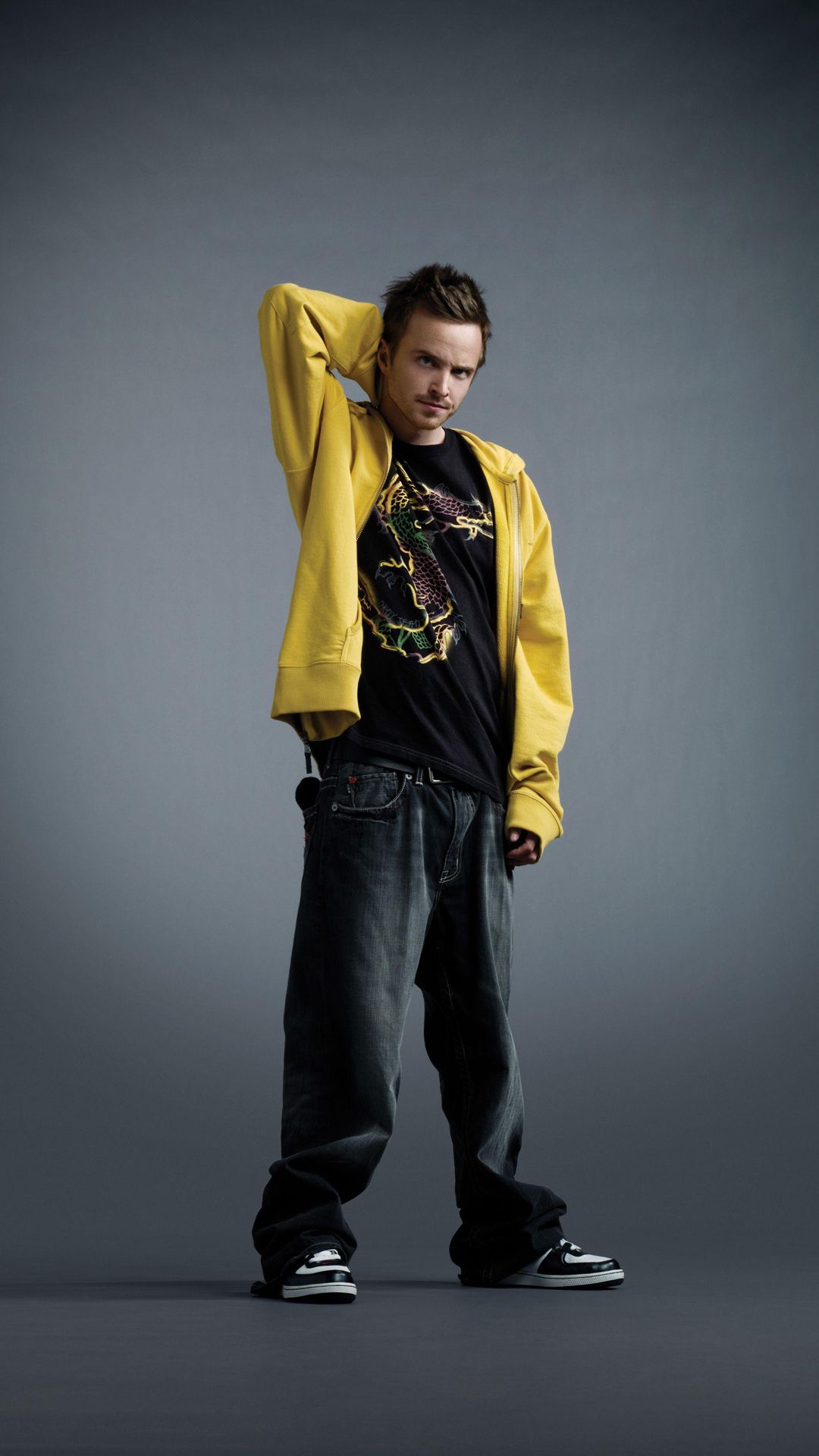
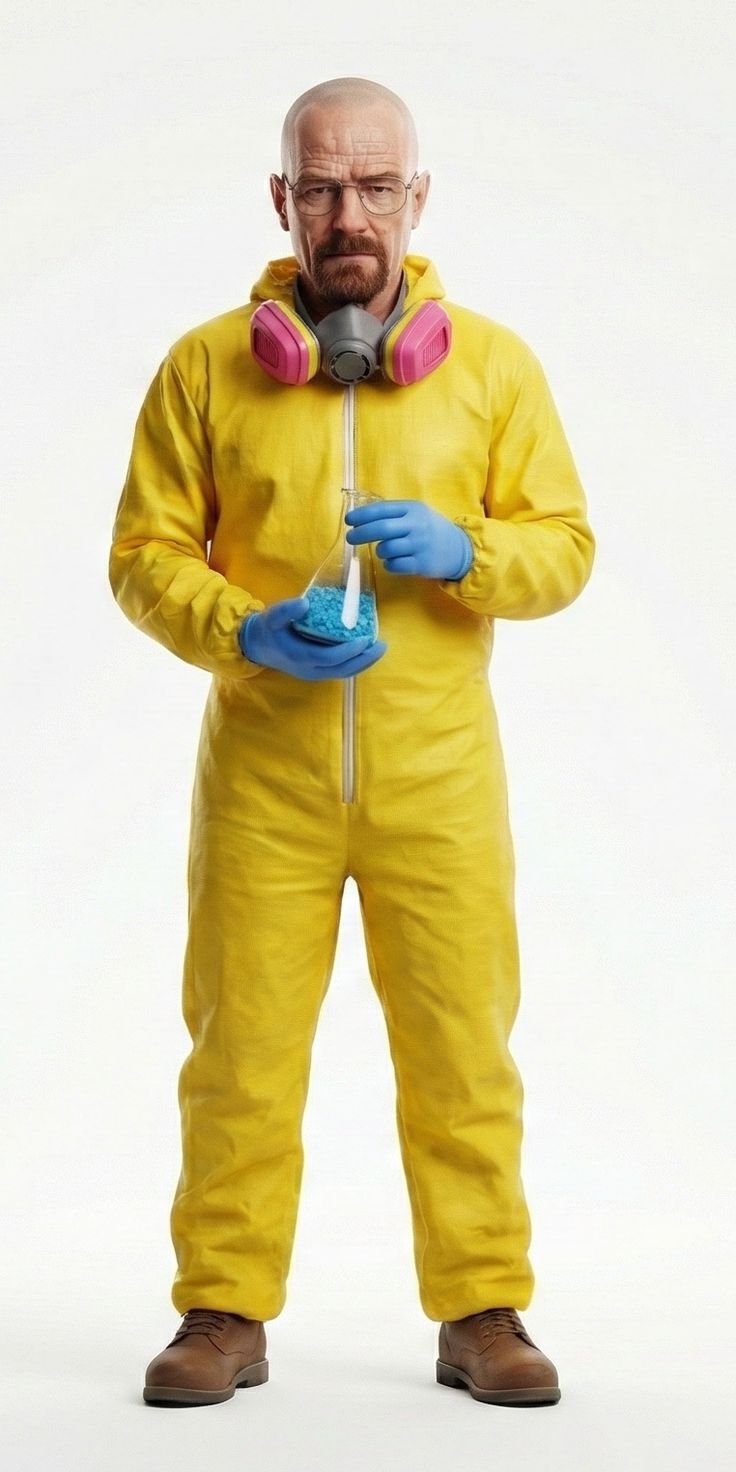
Have the people in @image1 and @image2 precisely replicate the movements of the two people in @video1, matching the timing and rhythm of every action. 1. Character replacement: Replace the person on the left with the person from @image1, and the person on the right with the person from @image2. Match each person’s clothing and hairstyle strictly to their respective reference image. Do not retain the original video characters’ outfits. 2. Visual requirements: Movements must be fluid and natural, with firm, grounded landings and a realistic sense of weight. Maintain consistent lighting throughout. Follow @video1 for camera work and composition. 3. Restrictions: Keep both characters’ identities and appearances consistent throughout. Do not introduce any additional people.
KONG KONG KING KING KING AI Video Generator
Two photos. One keyboard. Your duo. Replace the left keyboard player and the right hype partner in the white-studio performance with your chosen pair.
Add reference images (with key frames, max 9 images total). Each file under 30MB. Reference images cannot be combined with key frames.
MP4/MOV, each 2-15s, max 3 clips, combined <=15s.
MP3/WAV/AAC/M4A/OGG, max 3 clips, combined <=15s.
Two Photos Become a Keyboard Duo
This saved example uses the two portraits below. The preset loads both images, the 12-second motion reference and the replacement prompt. Swap the images to put your own pair in the scene.
Preset settings
MiniMax H3 · 12 s · 768p · 16:9
Preview includes sound; listen before sharing
How to Make a KONG KONG KING KING KING AI Video
Replace the two photos
The template is loaded for you. Replace image 1 with your keyboard player and image 2 with your partner. Keep that order.
Keep the reference, make it yours
The reference clip supplies the camera framing and motion. Use the prepared prompt or edit it; the default is MiniMax H3, 12 seconds, 768p and 16:9.
Generate, watch and download
Check the credit cost, then generate. Watch both faces, clothes and hand movements, and listen to the sound before downloading your favorite result.
Give Each Performer a Clear Reference
One person per photo
Use a sharp, well-lit image without another face in the background. This helps the model distinguish the two performers.
Show the look you want
Keep the hairstyle and outfit visible. The prompt asks for your reference clothing rather than the original performers’ outfits.
Keep the left and right roles
Image 1 starts at the keyboard on the left; image 2 is the partner on the right. Review the whole clip for identity changes or awkward hands.
Who Is in Your Keyboard Duo?
Friends with different energy
Cast the focused friend at the keys and the friend with the big reactions beside them.
A couple’s playlist joke
Turn your ongoing debate about who controls the music into a short clip for your shared chat.
A creator collaboration
Introduce your next collaboration with a duo performance featuring two recognizable looks.
Why Create Your Duo on Promptsref?
Start from a complete preset
The example includes two photos, a motion reference and a prompt, so you can replace the cast without assembling the setup.
See and edit the instructions
Inspect the prompt and change the appearance or performance direction before spending credits.
Keep control of the settings
The generator shows the selected model, duration, quality and credit estimate. Related image and video tools are available from the same workspace.
Other AI Video Generators
Hotel Lobby AI Rap Duo Video Generator
Upload 2 photos—friends, pets, or characters—and this free Hotel Lobby AI Rap Duo Video Generator drops them into the iconic orange booth to trade bars like Quavo & Takeoff.
Rosé & Bruno Mars APT. AI Video Generator
Add two photos to the Rosé & Bruno Mars APT. AI video generator — Photo 1 grabs the mic, Photo 2 takes the drums — and get a 15-second pink-studio duo video.
STORM II AI video generator
Our STORM II AI video generator puts your characters in the scene: one image for the front, one for the steps. Our self-made depth reference carries only the dance, so every face and outfit comes from your images.
AI Brainrot Generator
Turn an absurd idea, a first frame, or character reference images into a short, chaotic AI meme video. Start with an example, replace its image, and push the scene in your own direction.
AI Fruit Story Video Generator
Just enter a prompt or upload character images. AI turns them into viral-style fruit meme videos with motion, dialogue, and sound.
AI Gugugaga Video Generator
Turn one Gugu Gaga Penguin image into a short, share-ready video. Upload a reference, choose a ready-made story prompt, and generate with compatible motion, audio, and aspect-ratio controls.
KONG KONG KING KING KING Video FAQs
It recasts the two performers in the Alors on Danse white-studio keyboard scene using your reference images. The prompt asks the new pair to follow the source timing, rhythm, camera and composition.
Use two separate photos with one clear person in each. Image 1 supplies the left keyboard player; image 2 supplies the right partner. You can replace the sample photos already loaded in the generator.
The preset includes the 12-second reference video and a prepared prompt. You only need to replace the photos. The prompt remains editable.
The prompt requests each reference person’s clothing and hairstyle, consistent identities, and motion matching. AI can still change faces, hands, timing or sound. Exact preservation of the original music is not guaranteed; watch and listen to the finished clip.
The copied preset uses MiniMax H3, 12 seconds, 768p and 16:9. Generation consumes credits; the button shows the current estimate, including the motion reference. Changing settings changes the cost. Browsing the example is free.
The shared generator offers other models. Reference-video support and limits differ, so check the inputs after switching. Use the preset’s MiniMax H3 configuration to start from the saved example.
Put Your Duo Behind the Keyboard
Choose your pair, replace the photos and create your version. An independent AI recreation tool, not affiliated with the original artists or performers.