

Cinematic live-action footage with the polished visual quality of a Korean drama. An outdoor school campus under cool-toned natural light, with steps leading up to a red-brick archway in the background. Precisely recreate the scene in {{Video 1}}: preserve every character’s movements, the rhythm of the synchronized group choreography, motion trajectories, camera movements, audio, background music, and the exact timing of every cut, achieving a perfect 1:1 match. Precise character replacement: completely replace the blue figures in the original video with the character from {{Image 1}}, while preserving all original movements, poses, and positions. Replace all the gray figures lined up on the steps with the character from {{Image 2}}. Keep all original poses and synchronized dance movements—including tilting their heads back, bending forward, and swaying their bodies—completely unchanged.
STORM II AI video generator
Our STORM II AI video generator puts your characters in the scene: one image for the front, one for the steps. Our self-made depth reference carries only the dance, so every face and outfit comes from your images.
Add reference images (with key frames, max 9 images total). Each file under 30MB.
MP4/MOV, each 2-30s, max 3 clips, combined <=30s.
MP3/WAV/AAC/M4A/OGG, max 3 clips, combined <=30s.
How to make a STORM II AI video
Skip the parts that usually eat your evening: finding the clip, writing a prompt that keeps the lead and the crowd apart, and regenerating until the dance lines up. That is already done. You just bring two images.
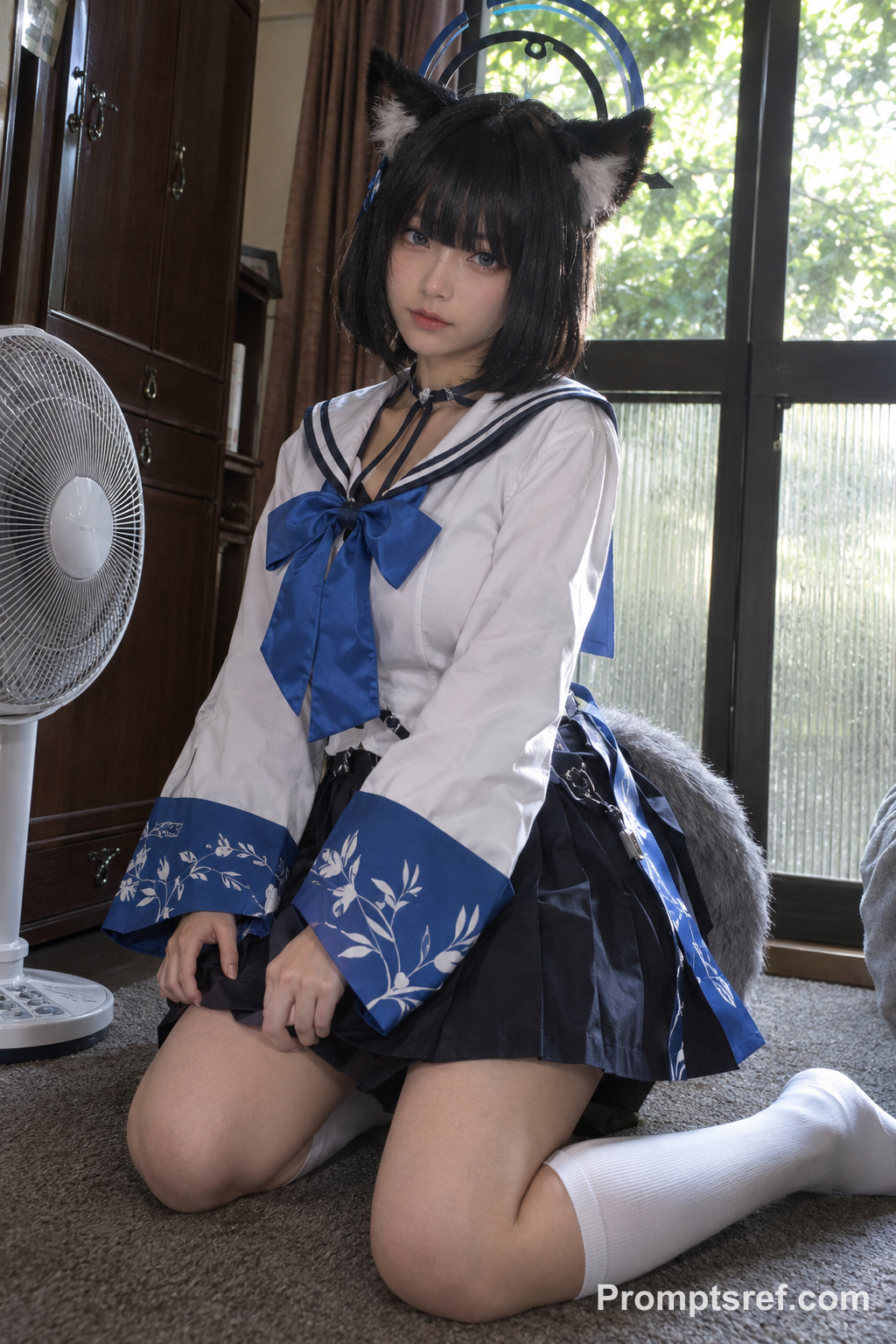
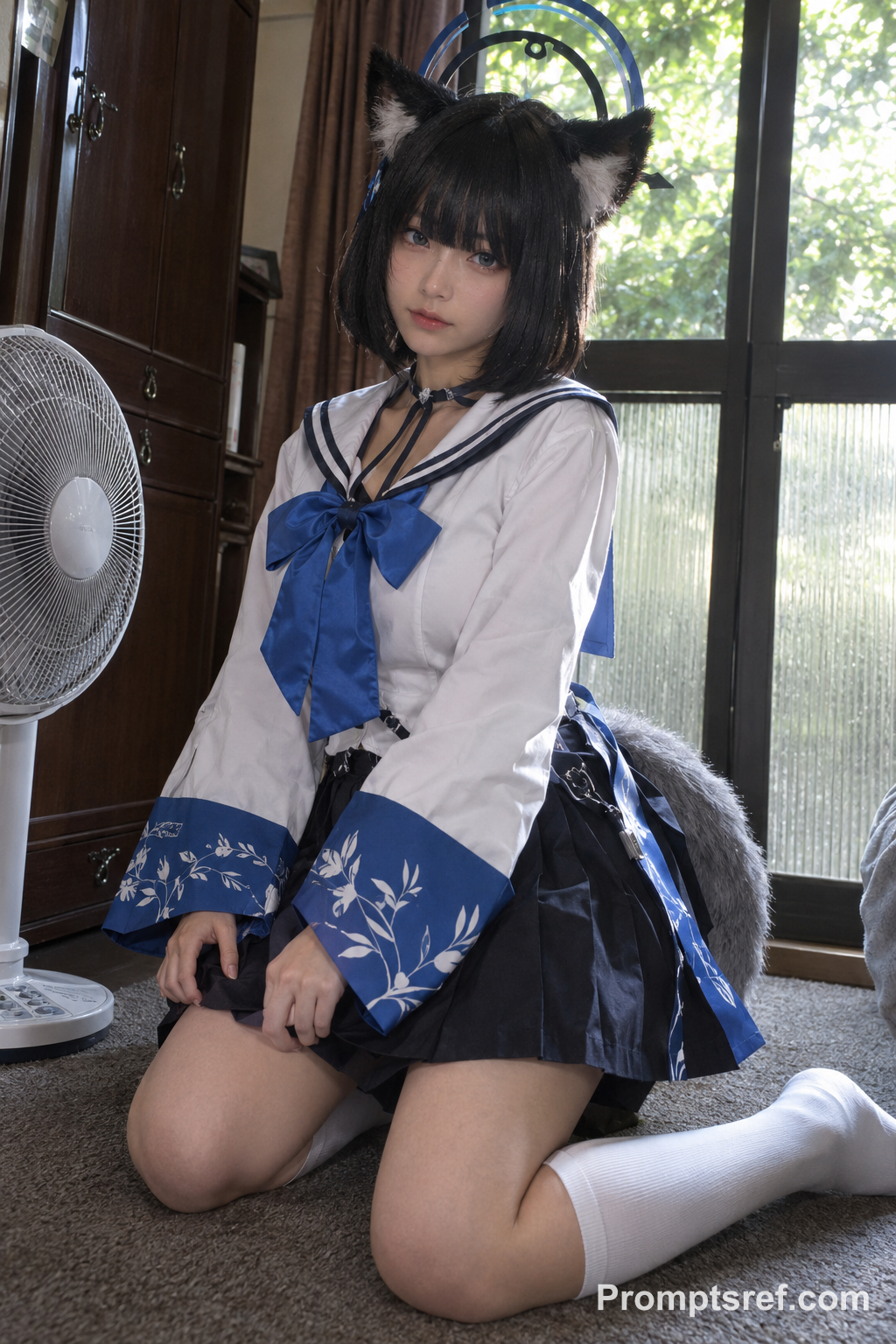
Pick your lead
This is who stands front and center. A clear face and a half- or full-body shot work best, so the outfit still reads while they move.
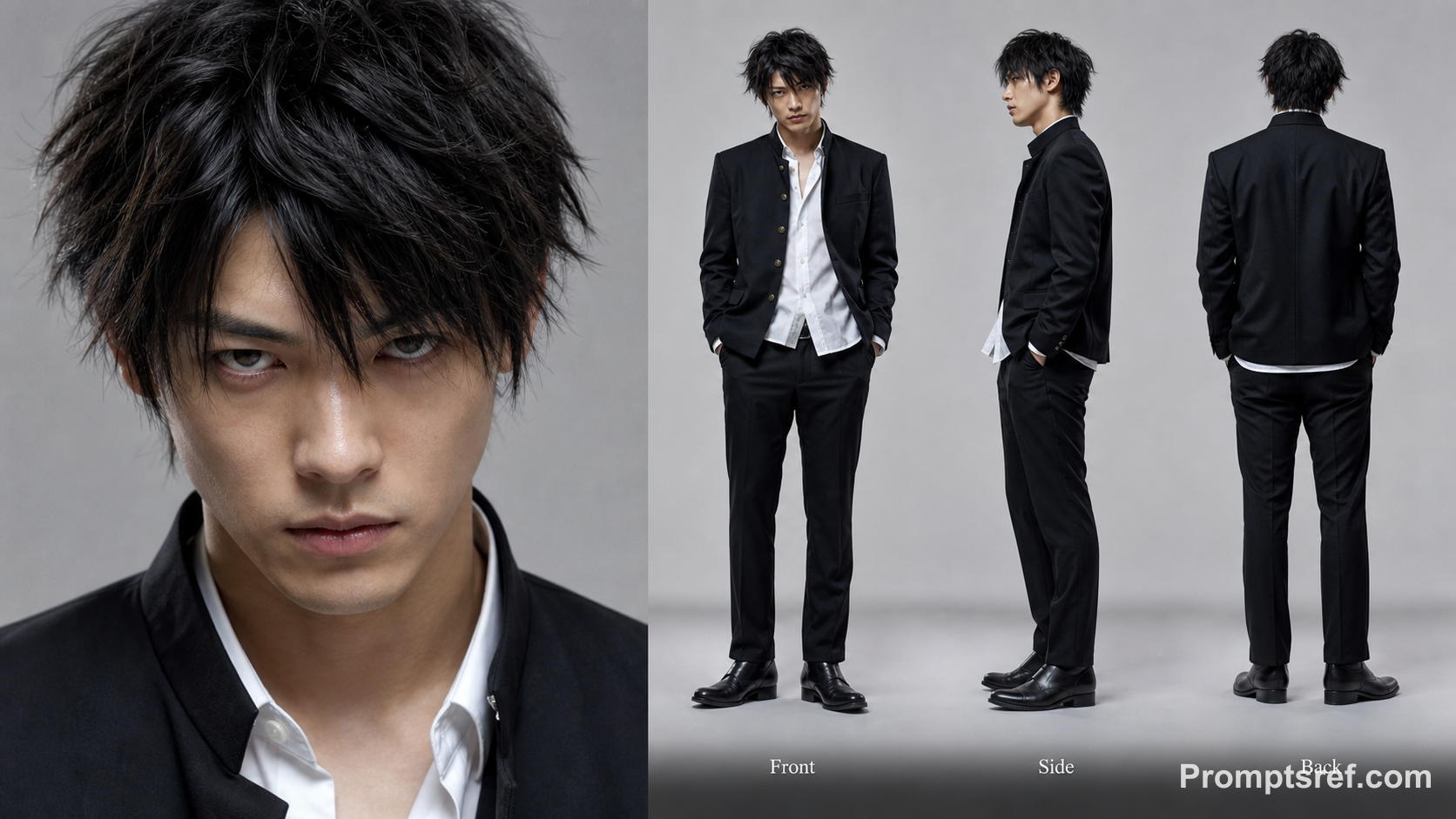
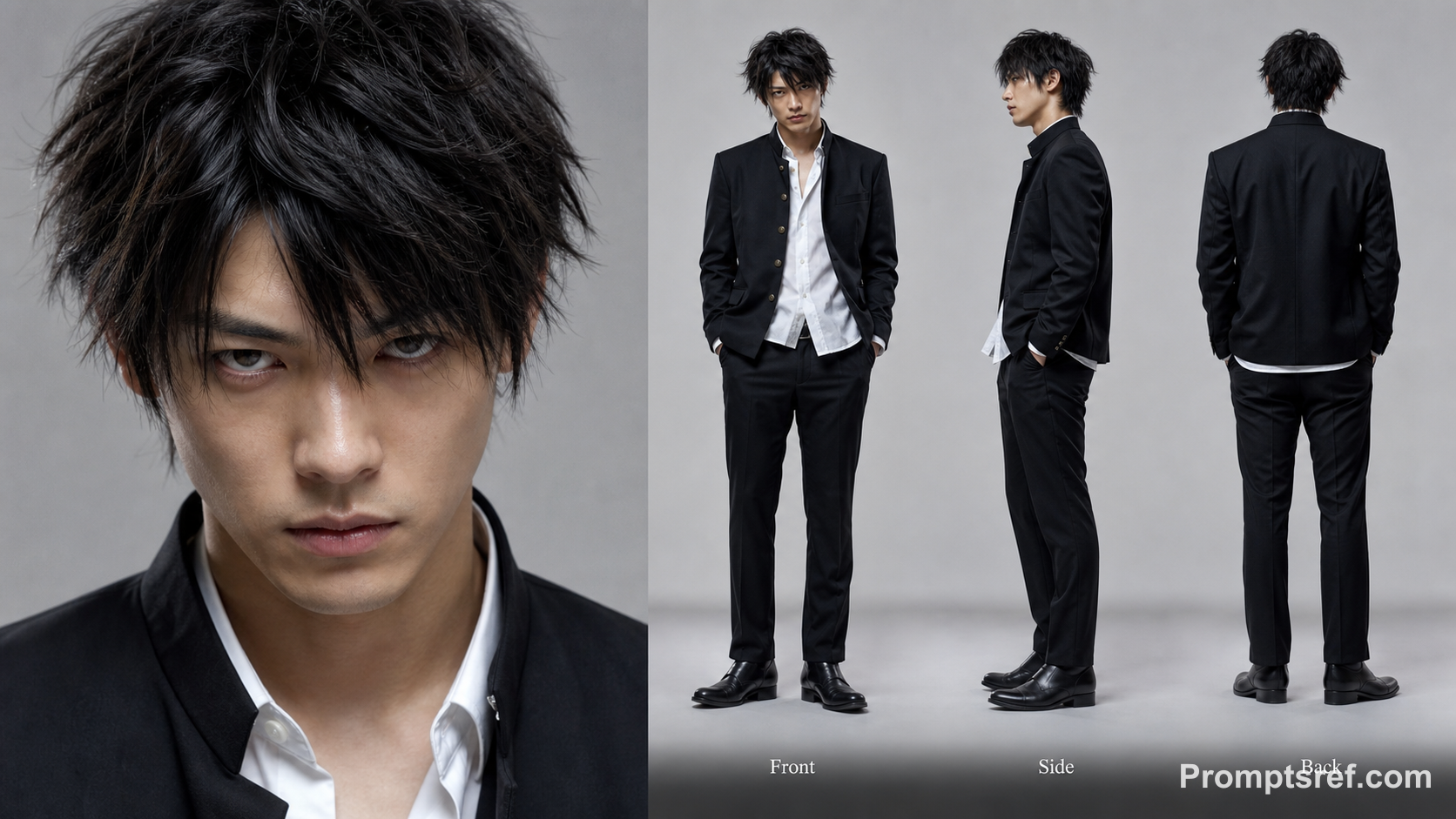
Pick your crowd
This one character is copied across every row on the steps. The crowd turns and bends, so a character sheet with front, side and back views gives the cleanest result. Leave the reference video as it is.
Generate and download
The defaults match the reference: Seedance 2.5, 480p, length and framing that follow the clip, sound on. Switch to 720p for a sharper post. The credit cost shows next to Generate, and you get an MP4 when it is done.
Why choose Promptsref's STORM II AI video generator
Jump into the STORM II trend with your own cast. Swap in the lead and the crowd, and keep the synchronized dance everyone recognizes.
Make a STORM II AI video from two images
No filming, no learning the choreography, no editing timeline. Add a lead and a crowd image, press Generate, and the full crowd dance comes back as an MP4.
Join the STORM II trend while it is still hot
The remixes are all over TikTok, Reels and X right now. Get your version out the same day, while people still recognize the scene.
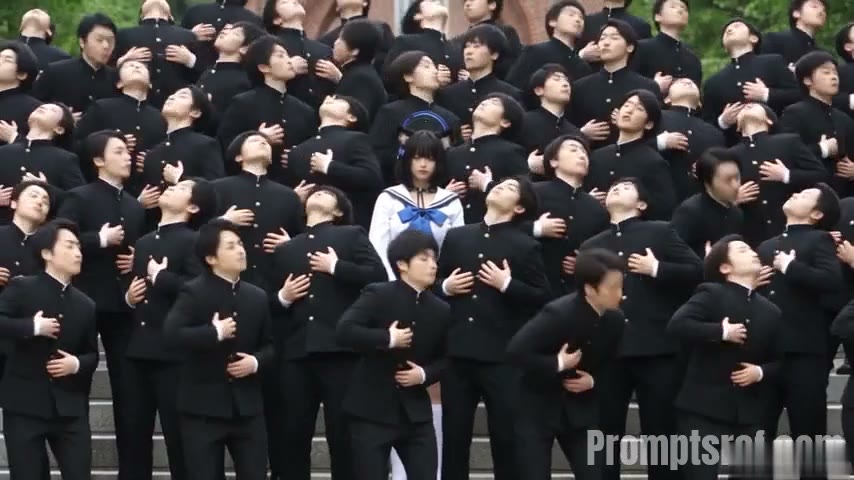
Keep every move, cut and camera push
Your characters take over the exact choreography of the original: the head tilts, the bow, the sway, every cut on the beat. Nothing gets simplified.
Put anyone at the center of the crowd
You, a friend, your OC, a cosplay shot or a brand mascot. Whoever you pick becomes the star, and the whole crowd moves behind them.
Keys to making a STORM II AI video that works
Use our self-made depth reference
We built our own depth reference for this template and use it to secure a higher success rate and better video quality. Every dancer is reduced to shape and movement, and your images supply the rest.
Higher success rate
The prompt works from a depth video instead of real footage, so fewer takes fail or need regenerating.
Your details, not theirs
The depth video has no faces, hair or costumes, so nothing from the original leaks into your characters.
The full motion still transfers
Every dancer's position and movement is kept, so the choreography and timing come through intact.
Pick two good images
Two good images matter more than any setting.
Lead: clear face, readable outfit
Anime, cosplay or a real portrait. Half or full body, one person, face in focus.
Crowd: simple design, ideally a character sheet
Front, side and back views help because the crowd turns and bends. A clean silhouette looks best in dozens of copies.
Avoid group photos
With several people in one image, the model may not know who to use.
Avoid heavy filters and covered faces
Masks, hands over faces and strong beauty filters make faces drift.
Other AI Video Generators
Rosé & Bruno Mars APT. AI Video Generator
Add two photos to the Rosé & Bruno Mars APT. AI video generator — Photo 1 grabs the mic, Photo 2 takes the drums — and get a 15-second pink-studio duo video.
Hotel Lobby AI Rap Duo Video Generator
Upload 2 photos—friends, pets, or characters—and this free Hotel Lobby AI Rap Duo Video Generator drops them into the iconic orange booth to trade bars like Quavo & Takeoff.
AI Gugugaga Video Generator
Turn one Gugu Gaga Penguin image into a short, share-ready video. Upload a reference, choose a ready-made story prompt, and generate with compatible motion, audio, and aspect-ratio controls.
AI Brainrot Generator
Turn an absurd idea, a first frame, or character reference images into a short, chaotic AI meme video. Start with an example, replace its image, and push the scene in your own direction.
AI Fruit Story Video Generator
Just enter a prompt or upload character images. AI turns them into viral-style fruit meme videos with motion, dialogue, and sound.
KONG KONG KING KING KING AI Video Generator
Two photos. One keyboard. Your duo. Replace the left keyboard player and the right hype partner in the white-studio performance with your chosen pair.
STORM II AI video FAQs
A remix of the STORM II crowd-dance scene that took off on social media: one lead in front, rows of dancers moving in sync behind. People make their own by casting favorite characters, friends or themselves. This template keeps the dance, camera work and cuts from the reference and swaps both the lead and the crowd.
Two. Image 1 becomes the lead, and Image 2 becomes every dancer on the steps. Want a whole cast of one character? Use the same image in both slots.
No. The prompt is ready and already assigns Image 1 and Image 2 to the right roles. You can edit it to change the setting or lighting, but keep the {{Video 1}}, {{Image 1}} and {{Image 2}} tags.
Browsing the template and examples is free. Generating needs an account and credits. The estimate next to Generate depends on resolution, output length and the length of the reference clip.
Yes, audio is on by default and follows the rhythm of the reference. The generated sound may not match the original track exactly. For a specific song, mute the clip and add a licensed sound in TikTok, Reels or CapCut.
Length is set to automatic, so the output follows the reference clip. Seedance 2.5 accepts reference clips up to 30 seconds. A fixed length can throw off the dance timing.
The default adaptive ratio keeps the reference's wide framing so the whole crowd fits. You can pick 9:16 before generating, but the rows on the steps will be cropped tighter.
Your images guide the characters, but small faces in the back rows can vary. Sharp, unfiltered images and a character sheet for the crowd help most. If a take distorts faces or hands, generate again or try clearer images.
Preview the result, then hit download to save the MP4. From there you can trim it, add captions or change the music in any editor.
No. Promptsref is an independent creation tool. This template is inspired by the crowd-dance trend and is not affiliated with or endorsed by the original creators. Only use images you have the right to use.