GPT Image 2.0 Prompt - Kobaltblaue Roadside-Reise-Editorialvorlage

- Modell
- GPT Image 2.0
- Seitenverhältnis
- auto
- Qualität
- 1K
Prompt
{
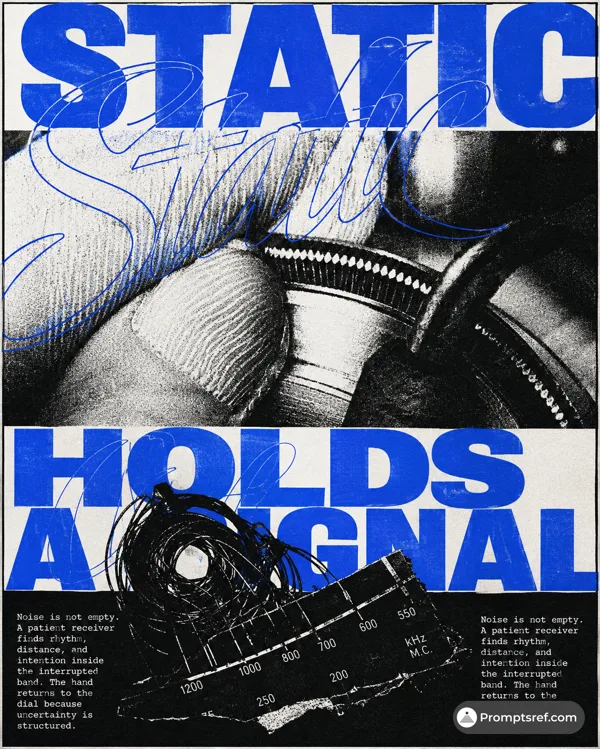
"style": "cobalt-megatype-roadside-travel-editorial",
"aspect_ratio": "4:5",
"style_rules": [
"poster splits near the middle: cream editorial field above, full-width documentary location photograph below",
"two enormous stacked words in ultra-heavy italic condensed sans, one saturated cobalt #0754AD, cropping decisively past the left edge, slightly weathered ink edges",
"upper-right stays open with a tiny locator system: thin horizontal rule, small label stack, circular icon, outlined capsule",
"a short compact cobalt micro-poem sits low in the cream field",
"photograph is straight-on, eye-level and wide: one low building or transport structure spanning the frame, warm amber light against a petrol-charcoal foreground",
"one oversized loose hand-painted cobalt word across the dark road, water or ground at the bottom",
"palette locked to warm cream #EEE6D6, cobalt #0754AD, faded amber-orange, petrol green, lifted charcoal — no pure black",
"fine analog grain, offset-print speckle, mild halftone and subtle ink misregistration unify type and photo"
],
"MAIN_TEXT": "NORTH TRAM",
"PAINTED_WORD": "ascend",
"LOCATION_SUBJECT": "a small wooden tram station in a cedar forest at first light, one vintage green tram waiting, wet rails and morning fog",
"LOCATOR_TEXT": "VALLEY LINE / PLATFORM TWO / MORNING CLIMB",
"MICROCOPY": "First light slips into the cedar valley. The car waits in silence. The climb takes time. No rush."
}
Remixe
RemixNoch keine Remixe. Erstelle die erste Version.
Diesen Bild-Prompt verwenden
- 01
Mit dem Prompt starten
Kopiere den Prompt oder öffne ihn über die Schaltfläche zum Generieren.
- 02
Eigene Änderungen vornehmen
Passe Motiv, Umgebung oder Details an. Füge bei Bedarf Referenzen hinzu.
- 03
Vor dem Generieren prüfen
Prüfe Modell und Ausgabeeinstellungen. Die Ergebnisse können variieren.