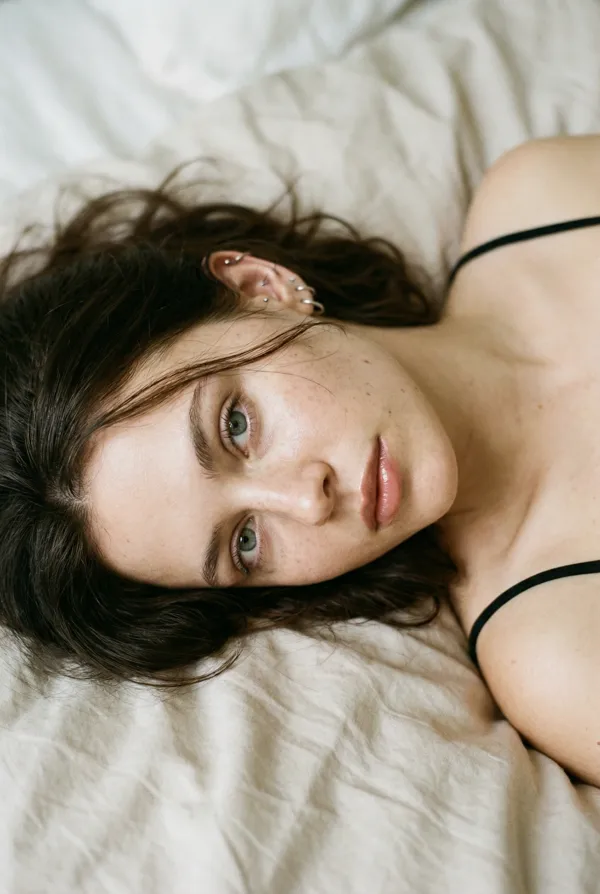
GPT Image 2.5 Sunburst Prompt - Silberschmuckporträt in einer Mineralgalerie

- Modell
- GPT Image 2.5 Sunburst
- Seitenverhältnis
- 3:4
- Qualität
- 1K
Prompt
TASK AND CANVAS
Create one photorealistic silver-jewelry editorial photograph. Use a vertical 3:4 canvas with a single continuous image.
VISUAL SYSTEM
Use restrained contemporary commercial photography. Express understated elegance through the relationship between the wearer, her jewelry, and a quiet architectural setting.
SUBJECT AND STYLING
Show one woman approximately 40 years old, with dark brown hair arranged in a loose low bun and a few natural flyaways. Her expression is calm, her lips gently closed, and her gaze directed slightly away from the camera. Use light makeup, a low-saturation lip color, and visible natural skin texture.
Her torso faces the camera while her head turns approximately 15 degrees to one side, leaving the nearer ear unobstructed. Her hands remain outside the crop.
She wears a fine-wool top with a clean, shallow V-neck and no decorative buttons. Her only jewelry is one matching pair of simple, rounded, volumetric silver hoop earrings and one necklace with a single silver pendant resting below the collarbones, clear of the neckline.
ENVIRONMENT AND SPACE
Place her in a quiet transitional space within a contemporary gallery. A mineral-coated wall forms the background, with one recessed doorway behind her on the right establishing depth. Separate her from the wall sufficiently to create spatial layering. The window motivating the illumination is outside the frame. Leave the space unfurnished.
COMPOSITION
Use a chest-up environmental portrait, retaining the complete head, both shoulders, and the lower edge of the necklace. Position the woman on the right side, leaving uninterrupted wall space on the left. Establish the overall wearing portrait as the first visual read, followed by the earrings and necklace.
CAPTURE AND IMAGE FORMATION
Use the photographic characteristics associated with a Phase One XF camera and IQ4 150MP digital back, paired with a Schneider Kreuznach 80mm LS f/2.8 Blue Ring lens. Position the camera close to eye level with a level optical axis and sufficient working distance for natural facial and neck proportions.
Use f/8, ISO 50, and 1/125 second as the exposure intent for controlled flash photography. Maintain usable definition across the nearer eye, visible earring, and pendant; let the background recede into gentle defocus while keeping the doorway recognizable.
Use moderate microcontrast and smooth highlight roll-off. Avoid conspicuous grain, halation, and sharpening halos.
MATERIALS AND INTRINSIC COLORS
The wall has a matte, fine-grained mineral finish in warm gray, sRGB HEX #C6BFB4. The top is low-luster charcoal wool, sRGB HEX #292C2E, with a fine woven texture.
Render the jewelry as silver-white metal with smooth curved surfaces and clearly defined edges. Describe its volume through reflected tonal gradients rather than a uniform gray fill. Preserve the woman's individual skin tone with a neutral-warm balance.
LIGHTING AND TONAL DESIGN
Use a daylight-balanced flash key at approximately 5600K, positioned 45 degrees to camera-left and slightly above eye level, diffused through an approximately 120 × 180 cm surface to simulate side-window light. Produce gradual transitions across the face and illumination along the jewelry curves.
Place negative fill on camera-right so the shadow side falls approximately 1–1.5 stops below the lit side while retaining detail. Use a narrow white reflector to introduce a readable highlight band into the metal, balanced by darker reflected edges.
Keep the background approximately 0.7–1 stop below the facial exposure. Retain contact shadows, wall texture, and fabric detail without clipped specular highlights. Grade the image with low-saturation neutrals and open dark tones; avoid teal-orange separation or a yellow cast on the silver.
REMAINING BOUNDARIES
Keep photographic equipment outside the image. Do not include text, logos, watermarks, artificial sparkle effects, or plastic skin smoothing.
Remixe
RemixNoch keine Remixe. Erstelle die erste Version.
Diesen Bild-Prompt verwenden
- 01
Mit dem Prompt starten
Kopiere den Prompt oder öffne ihn über die Schaltfläche zum Generieren.
- 02
Eigene Änderungen vornehmen
Passe Motiv, Umgebung oder Details an. Füge bei Bedarf Referenzen hinzu.
- 03
Vor dem Generieren prüfen
Prüfe Modell und Ausgabeeinstellungen. Die Ergebnisse können variieren.