Veo 3 프롬프트 - 시네마틱 전기 온열매트 컷어웨이

- 모델
- Veo 3
- 화면 비율
- 9:16
- 화질
- veo3_fast
프롬프트
Photorealistic high-end 3D product visualization of a Bebenuvo carbon electric heated mat, based on the real product appearance, lying flat in a clean minimal neutral studio environment.
The entire 8-second video is ONE continuous cinematic shot with no cuts.
Begin immediately with the fully assembled heated mat viewed from a low three-quarter angle.
The camera performs a slow controlled push-in combined with a very subtle orbit.
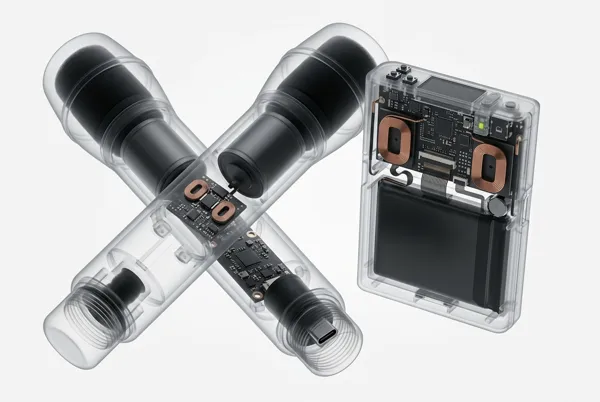
As the camera approaches, the removable fabric cover gently lifts a short distance from one corner and gradually separates from the electric heating mat underneath, creating a clean controlled product cutaway.
Clearly distinguish only the removable outer fabric cover and the electric heated mat body underneath. Do not invent unsupported detailed internal construction.
A very subtle luminous orange edge highlight appears beneath the surface of the heated mat, suggesting the hidden heating system without revealing a fictional wire pattern.
Keep the exact same mat dimensions, thickness, rounded corners, fabric texture, color palette and overall product design consistent throughout this shot and all following videos.
Clean matte fabric materials, realistic textile texture, soft diffused neutral studio lighting, gentle ambient occlusion, pale grey background.
The ONLY saturated color anywhere is luminous orange, used exclusively for technical emphasis.
Aspect ratio: 9:16 vertical.
Duration: 8 seconds.
ONE continuous shot.
Negative prompt: multiple shots, hard cuts, rapid camera changes, static opening frame, magical transformation, fictional exposed wiring, arbitrary serpentine heating wires, complex circuit boards, changing product geometry, excessive layers, people, hands, text, captions, letters, numbers, watermark, cartoon, illustration, clay, low-poly, film grain, camera shake.
리믹스 작품
리믹스아직 리믹스가 없어요. 첫 번째 버전을 만들어 보세요.
이 동영상 프롬프트 사용하기
- 01
프롬프트로 시작하기
프롬프트를 복사하거나 생성 버튼으로 여세요.
- 02
나만의 아이디어 더하기
주제, 배경, 세부 사항을 조정하고 필요하면 참고 자료를 추가하세요.
- 03
생성 전 확인하기
모델과 출력 설정을 확인하세요. 생성 결과는 매번 다를 수 있습니다.