Seedance 2.0 Fast 프롬프트 - 카피바라 임원의 회의실 프레젠테이션

- 화면 비율
- 4:3
- 화질
- 480p
프롬프트
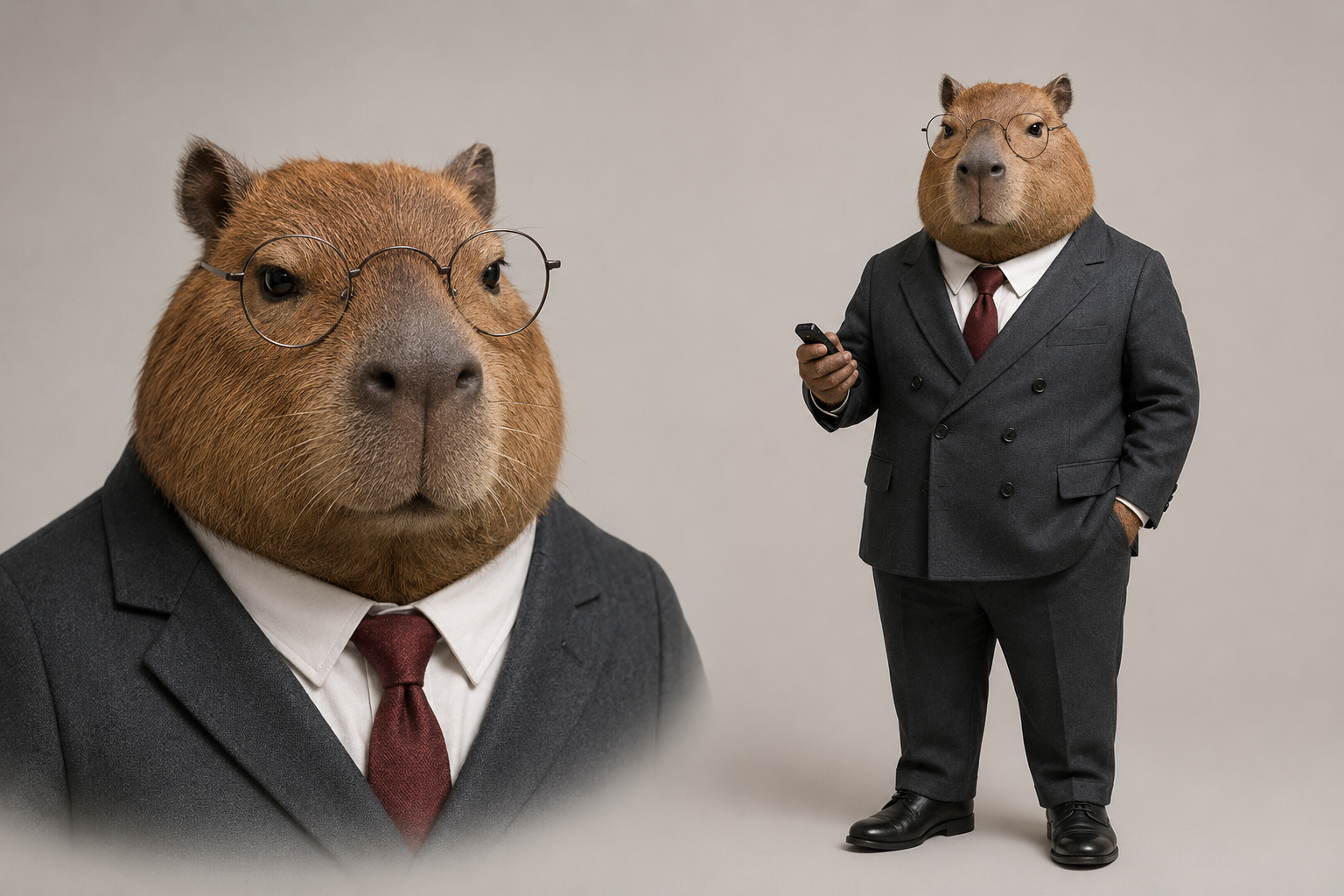
Use `<<<image_1>>>` as the exact character reference for the capybara executive. Preserve its broad round capybara face, short brown fur, dark-brown eyes, round metal-frame glasses, charcoal double-breasted suit, white shirt, dark-red tie, black leather shoes, and black presentation clicker. Do not alter the character's identity, fur color, facial structure, or clothing.
Begin with a stable medium shot in a realistic modern conference room. The camera slowly pushes toward the capybara executive's face, with no cuts. The capybara stands in front of a whiteboard facing softly blurred employee silhouettes around a conference table, maintaining a completely calm expression. It raises its right paw and clearly presses the black presentation clicker once. After a crisp click, a continuous burst of chart papers with no readable text suddenly shoots from the edge of the whiteboard, cascading across the table like a waterfall and swirling through the room. The employee silhouettes recoil in surprise. Without showing concern, the capybara slowly pushes its round glasses back into place with its left paw; its tie and ears move only slightly in the paper-filled airflow. As the camera continues pushing in, it looks directly into the lens with an emotionless, authoritative expression. One blank sheet drifts down and lands gently on its head, creating an absurd freeze-frame ending. Maintain realistic fur, suit fabric, and conference-room depth. Do not turn the character into a human or a flat cartoon sticker.
<crisp presentation-clicker sound> <rapid paper popping sounds> <large volume of paper fluttering> <brief chair scrape>, no music, no subtitles, no dialogue, no readable charts, no brand logos, no scene change, no character redesign, no extra characters in focus.
참조 이미지
리믹스 작품
리믹스아직 리믹스가 없어요. 첫 번째 버전을 만들어 보세요.
이 동영상 프롬프트 사용하기
- 01
프롬프트로 시작하기
프롬프트를 복사하거나 생성 버튼으로 여세요.
- 02
나만의 아이디어 더하기
주제, 배경, 세부 사항을 조정하고 필요하면 참고 자료를 추가하세요.
- 03
생성 전 확인하기
모델과 출력 설정을 확인하세요. 생성 결과는 매번 다를 수 있습니다.