GPT Image 2.0 프롬프트 - 코발트 블루 만화 액션 포스터 템플릿

- 화면 비율
- auto
- 화질
- 1K
프롬프트
{
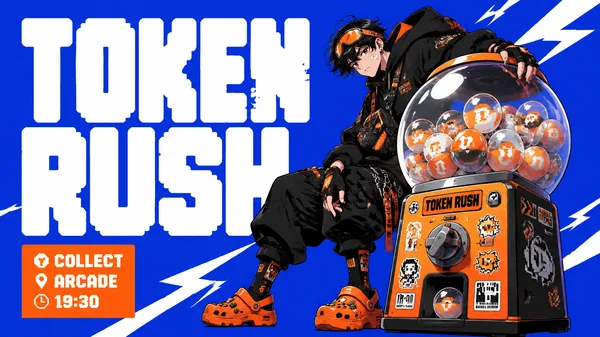
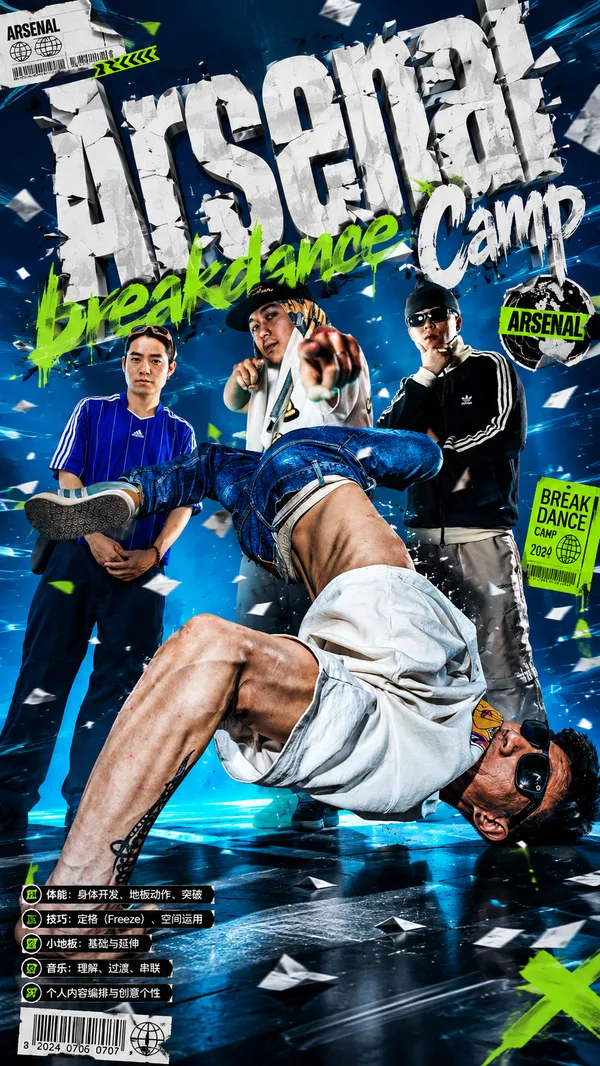
"style_rules": {
"background": "solid electric cobalt blue, completely flat — no gradient, no texture, no grain",
"title_font": "massive white pixel/chunky rounded-corner display type, fills left half of canvas — letter height approximately equals character height, 2 WORDS MAX",
"character": "manga illustration style, dynamic action pose, specific subculture outfit with detailed accessories and signature footwear",
"character_text_relation": "character positioned BESIDE, WITHIN, or OVERLAPPING the title letters — equal spatial weight, neither subordinate to the other",
"hero_prop": "one oversized foreground object, same scale as character or larger, highly detailed: gacha globe / boombox-planter / geometric delivery crate / sci-fi aquarium cylinder",
"info_block": "orange filled rectangle, white text, 3-line format: [activity noun] / [location-type noun] / [HH:MM time]",
"accent_color": "orange only — no third color",
"speed_lines": "white angular geometric shapes / lightning bolt cuts across blue background",
"copy_rule": "ZERO description of what the event is — all brand meaning carried by character design + prop alone",
"format": "16:9 horizontal"
},
"negative": "descriptive event copy, gradient background, small title relative to character, realistic photography, more than 2 accent colors",
"variables": {
"event_name": "[2-word title: TOKEN RUSH / SKY SPROUT / NOVA DROP / BUBBLE SHIFT]",
"character": "[specific subculture identity: streetwear gamer / rooftop gardener / night courier / aquarium technician]",
"signature_outfit": "[defining clothing that communicates identity wordlessly: crocs + overalls / cargo pants + chains / neon gloves + hoodie]",
"hero_prop": "[one oversized object: gacha capsule machine globe / boombox-as-planter / geometric graphic crate / cylindrical fish tank pod]",
"info_block_content": "[activity noun] / [location-type noun] / [HH:MM]",
"character_placement": "[beside letters / standing between two words / overlapping text boundary]"
}
}
리믹스 작품
리믹스아직 리믹스가 없어요. 첫 번째 버전을 만들어 보세요.
이 이미지 프롬프트 사용하기
- 01
프롬프트로 시작하기
프롬프트를 복사하거나 생성 버튼으로 여세요.
- 02
나만의 아이디어 더하기
주제, 배경, 세부 사항을 조정하고 필요하면 참고 자료를 추가하세요.
- 03
생성 전 확인하기
모델과 출력 설정을 확인하세요. 생성 결과는 매번 다를 수 있습니다.