Nano Banana 2 Prompt - Interfaz nutricional de IA analizando patatas de barbacoa

- Modelo
- Nano Banana 2
Prompt
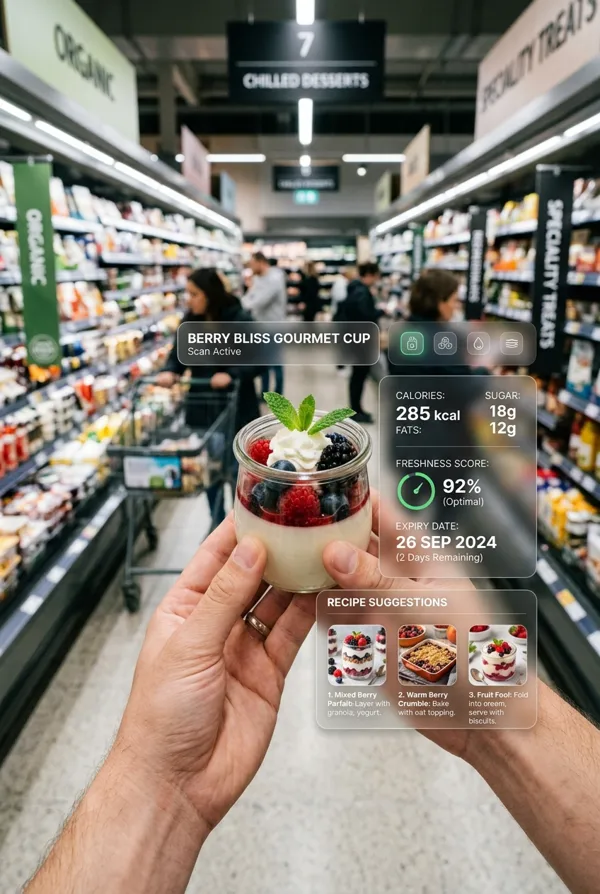
Ultra-realistic cinematic POV shot inside a modern supermarket snack aisle.
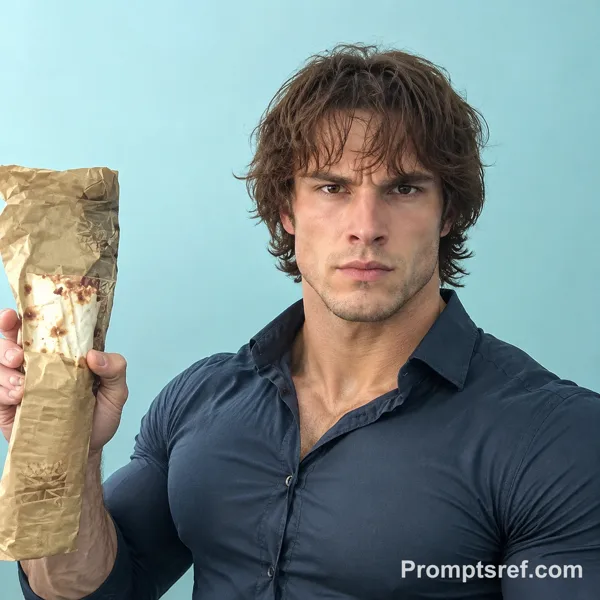
First-person perspective: the viewer is holding a black barbecue-flavored potato chips bag with both hands. The front of the packaging is visible. The nutrition facts label is NOT visible in the frame.
The product is centered, sharp focus, detailed glossy plastic texture, realistic crinkles and reflections.
Background: supermarket shelves softly blurred with shallow depth of field. Natural commercial lighting.
On the right side of the frame, generate a futuristic semi-transparent holographic AI interface.
The AI interface is NOT reading the packaging.
Instead, it is retrieving the product's nutritional data from a global food database using product recognition.
Include a subtle visual cue:
"Product identified"
"Accessing nutrition database..."
"Data retrieved"
The HUD dynamically displays accurate real-world typical nutritional values for this specific product type:
• Calories (per serving)
• Total Fat
• Carbohydrates
• Sugars
• Sodium
• Ingredients (standard formulation for this product type)
• AI Health Score (calculated from retrieved values)
The numbers should reflect realistic commercial nutritional data for barbecue potato chips and not random values.
Add a subtle scanning recognition animation at the beginning, followed by clean data visualization panels.
HUD style: Apple Vision Pro inspired, transparent glass UI, soft blue glow, minimal modern typography, subtle depth and parallax.
Lighting: premium commercial realism, soft skin tones, subtle rim light.
Lens: 35mm, f/2.8 shallow depth of field
Color grading: clean, high dynamic range, slightly cool commercial tone
Ultra photorealistic, 8K detail
Natural hands, no deformities
Remixes
RemixAún no hay remixes. Crea la primera versión.
Usa este prompt de imagen
- 01
Empieza con el prompt
Copia el prompt o ábrelo con el botón de generar.
- 02
Haz tus cambios
Ajusta el sujeto, el entorno o los detalles. Añade referencias si las necesitas.
- 03
Revisa antes de generar
Comprueba el modelo y los ajustes de salida. Los resultados pueden variar.